Changelog
View releases on GitHubA Pull request tab for every agent
An agent's pull request opens in a tab of its own. Its Overview loads piece by piece and shows the review threads, each previewed with its diff. Files changed draws the diff unified or split. Bot badges and the repository's screenshots show as they do on GitHub. A review or a comment on the pull request reaches the agent with what it says. (#3030, #3116, #3206, #3221, #3229, #3233, #3239)
Cards on every chip
Every chip shows a card of what it names when you point at it. An agent's card works on any task of the workspace. A page's card previews the page and names who showed each version. A pull request's card gives its files, age, branches, labels, counts, and the lines it adds and removes. A pull request's or an issue's card names its author by their GitHub face, and a Linear issue's card names its assignee. (#3102, #3106, #3109, #3126, #3140, #3161, #3191, #3234)
Issues
Turn on Settings › Experimental › Issues to track your workspace's issues in Luke. The Issues page opens as a board with one column for each status. Make an issue from a small composer, and change its title, status, priority, and Markdown description in place. (#3105, #3112, #3128, #3130, #3141, #3144, #3147, #3168, #3173, #3187)
Improvements
- Mention a workspace's people with @ (#3170)
- Select words in an agent's message and Reply to quote them in the message box (#3025)
- Open an agent's pushed branch on this Mac in a terminal inside Luke (#3137)
- Coding agents run an Electron app in their sandbox (#3185)
- Coding agents send what is ready for review to your Inbox, and Inbox items say whose agent asks them (#3162, #3198)
- A plan's comment threads stay anchored to their words through every save (#3034)
- Zoom and pan a picture in the image preview (#3205)
- Drag the sidebar's pins into the order you want (#3131)
- New task opens its dialog at once, and its name field matches Linear issues (#3149)
- A new task opens with the side panel hidden, closing the last tab shuts the panel, and Show panel opens the tab you last closed (#3123, #3159, #3166)
- The plan's tab closes beside another tab (#3204)
- A plan's document opens on its "Edited by" line (#3240)
- An agent's plan card draws the plan's pictures (#3186)
- ⌘K finds the open task's archived agents and opens each on its own page (#3107)
- Settings opens with the caret in its search (#3129)
- Choose Luke's video avatar under Settings › Experimental › Video calls (#3104)
- Workspace integrations show each GitHub account's photo (#3139)
- A call's row names the agent it is about by its chip (#3114)
- An automation run's pull request shows as its chip (#3181)
- An agent turn's Copy and Copy link sit at its foot (#3178)
- An automation run is handed only the MCP servers its own prompt mentions (#3190)
- The window and every web page draw from shared themes (#3119, #3138, #3142)
Fixes
- Fixed Linear refusing a workspace's connection (#3124)
- Fixed a refused sign-in renewal waiting on teardown before signing out (#3082)
- Fixed an agent's pull request chip showing only after the next message (#3081)
- Fixed toasts standing away from the window's bottom-right corner, and an agent's news staying until dismissed (#3180)
- Fixed the agent's message box losing the caret after a send (#3220)
- Fixed the @ list staying open when words past a space match nothing (#3241)
- Fixed Luke's own GitHub App bot drawn as a person (#3208)
- Fixed Escape leaving the Inbox, and the Inbox opening on a different item than the one last chosen (#3183, #3184)
- Fixed an Inbox image that lands before its item not being drawn (#3177)
- Fixed the Automations pages sharing one step of the window's history (#3153)
- Fixed the Draft pencil marking the task that is open (#3145)
- Fixed the sender of a plan or task not named under its card (#3158)
- Fixed a section's byline crowding its heading (#3228)
- Fixed a reply quote in the message box set off differently from a sent quote (#3143)
- Fixed a chip, an Inbox crumb, or a missing picture keeping a wide gap (#3117)
- Fixed a tab shown as its glyph losing the glyph under the pointer (#3127)
- Fixed the plan editor and the message box writing styles the panel refuses (#3136)
Misc
Links that say what they point at
Every Luke link in a plan, a transcript, an Inbox item, or the Call tab is a chip named for its place: the task's, agent's, page's, person's, or automation's own name, wearing its glyph. A Luke address pasted into a box becomes its chip, and a bare one in a message is handed to the agent as its mention. A pull request's, a GitHub issue's, or a Linear issue's link says its title and state, read through the workspace's own GitHub App or Linear, in an Inbox item through that item's own workspace. A Luke link pasted into Slack, iMessage, or X unfurls as Luke's card. (#3036, #3038, #3047, #3049, #3071, #3074, #3098)
Agents that start, mention, and archive agents
A coding agent starts another coding agent on its own task or on any task of
its workspace, which list_tasks finds, and the new agent reports back to it.
The @ list offers every coding agent of the workspace, labelled by its task,
and coding agents write mentions too. Luke and coding agents read any page of
the workspace with read_page, so a page mention points at the page rather
than carrying it. An agent can archive or unarchive another, and the archived
agent's card and banner say who archived it and why. A message from another
coding agent is drawn under that agent's mark.
(#3028,
#3029,
#3064,
#3067,
#3068,
#3076,
#3078,
#3088,
#3093)
Start a task without planning
New task has a Plan switch. Turn it off and the task starts with an empty plan and no call, and the switch stays as you left it next time. (#3083)
Luke at any width
A narrow window or side panel keeps everything in reach. A side panel's file tree, Changes tree, and Terminal shells float over a skinny tab, peeked by hover and opened by their toggle, as the main sidebar does. Tab strips shrink, then fold to glyphs, then scroll with the chosen tab in view. The plan, an agent's transcript, the call bar, Settings, the Factory, Home, the Inbox, and the sidebar's foot all read in a narrow column, and toasts, dialogs, and menus stay on screen in a short window. (#3089, #3090, #3079, #3056, #3055, #3058, #3052, #3053, #3054, #3050, #3043, #3051, #3059)
Improvements
- Luke's video shows in the in-app call card and the floating call window while Settings › Experimental › Video calls is on (#3061, #3062)
- Code review is a suggested automation on the Automations list (#3077)
- An MCP server's chip shows the server's row and tools, and says whether the turn is handed it (#3097)
- What scrolls fades beneath every pinned bar, banner, and call timer (#3057)
- The keyboard's focus ring is drawn once, whole, on the shape you see, and scrolls its control in with room to spare (#3044, #3045, #3046, #3069)
- Settings, dialogs, and empty states say less and only what helps (#3096)
Fixes
- Fixed Open in Luke opening a bare Electron rather than Luke (#3063)
- Fixed Reopen on an account still signing in adding a new account, and a disconnect deleting an account added under the same name (#3039)
- Fixed an agent whose harness is not yet known wearing a stray glyph (#3094)
- Fixed an automation's Runs panel appearing without sliding as the window's panes do (#3091)
- Fixed a plan picture's last editor drawn over the text rather than in the viewer (#3073)
- Fixed an empty plan drawing a summary and its button (#3072)
- Fixed a click on an empty plan's panel not putting the caret in its text (#3075)
- Fixed an Inbox picture standing taller than a screenful (#3065)
- Fixed a chip parting from the punctuation after it at a line's end (#3060)
Misc
Pictures in plans
Paste or drop a picture into a plan, or insert one with ⌥⌘I: it shows at once while it uploads, with its alt text and caption in place, and a failed upload offers Retry. A plan's pictures are drawn on its page and in its versions, open over the window, and are served only to its workspace's members. A coding agent adds a screenshot from its sandbox to the plan, and coding agents and Luke look at a plan's pictures when the alt text is not enough. (#2895, #2913, #2914, #2943, #2945, #2991, #3008)
Pictures from coding agents
A coding agent or its worker shows you pictures from its sandbox, such as a screenshot of what it built, taken in the sandbox's own Chromium after a change to anything visible, and its transcript draws them in place: one picture large, a few in a row, many as thumbnails. An integration's pictures stand as chips under its call. A picture opens in a viewer that walks the whole set, and Add to plan puts it in the agent's plan, with Undo. (#2911, #2906, #2919, #2927, #2979, #3004)
A person's page
Press a person anywhere to open their page in the workspace: what they are working on now, what waits on their answer, the tasks and automations they created, and their other agents. ⌘K's People filter, Settings › Workspace › Members, and Your profile in the account menu lead there too. Their tasks in sidebar filters the sidebar to them, and Copy link copies a link to their page. A member who left keeps their picture, grayed, and their name says they left. (#2982, #2983, #2984, #2985, #2986, #2995, #3001, #3015)
Copy link to anything
Copy link now reaches nearly every place in Luke: an agent, its worker, its Changes, a message in its transcript, a page, the Call tab, a version, an Inbox item, an automation and its runs, the Factory, and a Settings page. ⌥⌘C copies the link of what is open, ⌘K offers Copy link to each thing at hand, and every copy says Link copied. A Luke link opens its place in the window, and a place the reader cannot reach is Not found. (#2950, #2969, #2970, #2971, #2972, #2973, #2974, #2975, #3017)
Pull requests as you
A coding agent you start commits as you, with Luke as co-author, and its pull request is opened as you, so it is yours on GitHub. The Changes tab names Luke beside you, and where an agent had to write as the GitHub App, it says why. (#2952, #2963, #2976)
Start a task from Linear
An owner or admin connects Linear once for the whole workspace in Settings › Workspace › Integrations. Then New task in the sidebar offers the workspace's Linear issues, and picking one starts the task with that issue as Luke's context. Agents in the workspace use its Linear connection. (#2859)
Several accounts at one integration
Connect more than one account at a provider, such as a work and a personal Notion, in Settings › Integrations. Each stands as a row of its own, named for its workspace there, in Settings and in the MCP popover, and agents are handed each as a connection of its own, asking which one you mean where you have not said. (#2858, #2864, #2867, #2868, #2869, #2896, #2897, #2915, #2994)
Agents that talk to each other
On a call, Luke lists, reads, and messages every coding agent in the task's workspace, each named with its task, and coding agents list and message the other coding agents of their workspace. In an agent's box, @ also offers the task's pages and its other agents. (#3026, #3027, #2822, #3031)
Drafts kept
What you type in an agent's box or an Inbox answer stays when you switch tabs or tasks, kept per agent, task, and item on this Mac, and a pencil marks a draft waiting out of sight. (#2925, #2948, #3005)
Experiments: video calls, Automations, and the Factory
Settings › Experimental › Video calls puts Luke's face on a call, as a live avatar at the top of the Call tab, kept at 16:9 at any width. A new automation can start from Code review, which reviews pull requests as Luke, at most five at once and fifty a day. Automations choose the MCP servers their runs are handed, wear what fires them, and keep running through failures, a failed run saying why. An automation's agent is named by its pull request or issue, or from its prompt, and its transcript opens on the message that started it. Its agent stands among the sidebar's tasks, can be pinned there, and announces its turn's end as a task's agent does, and a run that fails to start is told to its owner. That agent's page keeps the side panel for its workers, Changes, and Terminal, and its box offers @ and / as a task's agent's does. The Factory now reads Talk, Build, Ship: the task on your call, the agents at work, failed, or waiting on you, and what merged in the last day, each row saying what, which task, who, and when. Its rows move with ↑ and ↓, open with Return, and offer Copy link, and ⌘K and the sidebar reach it. (#2908, #2923, #2924, #2926, #2929, #2932, #2933, #2936, #2939, #2940, #2941, #2942, #2949, #2962, #2965, #2980, #2996, #2997, #2999, #2937, #2951, #2967, #3009, #3016, #2781, #3018, #2953, #2954, #2955, #2956, #2957, #2958, #2968, #2998, #3020)
Improvements
- A review, a comment, or a later failed check on an agent's pull request reaches the agent as a message from GitHub (#3007)
- A coding agent waits on its checks or a deploy without spending a model step on each look (#3000)
- Settings › Notifications sends a test notification and says when macOS has Luke's notifications off (#3011)
- ⌘F finds on every page that stands in the window (#2964)
- ⌘K groups, orders, and filters the sidebar's tasks, and archived tasks are a view of the sidebar's list rather than a group at its foot (#2904, #2905, #2966)
- Luke and coding agents edit anywhere in the plan, headings included, and a batch of their edits lands whole or not at all (#2916)
- ⌘K offers Pin task or Unpin task for the task on screen (#3021)
- A GitHub bot wears a bot badge beside its own GitHub picture (#3022)
- Mark a task unread from its menus and ⌘K, and read again (#2961)
- A task's last update counts its agents' finished turns, so a task moves up the sidebar when its agent finishes (#2935)
- A task row grouped by creator names no repository (#3003)
- A note typed on an Inbox item that asks nothing back reaches the agent, and the box says so (#2946)
- A task's Inbox heads its list with the Inbox's name and Needs you, as the window's Inbox does (#2918)
- An integration's MCP call wears its logo and names its own tool (#2934)
- New task's workspace and repository chips are the searchable pickers Settings uses, and the repository list drops its "on GitHub" heading (#2930, #2928)
- Luke's, an agent's, and an automation's marks stand bare where nothing overlaps them (#2990, #3014)
- A hover card offers no Open of its own, since a press on what it hangs from opens it (#2992)
Fixes
- Fixed the agent composer's and the Inbox answer box's controls piling on each other in a narrow column, a ⋯ now taking in what does not fit (#3013)
- Fixed Needs you keeping an answered item in the list, and it now says when nothing needs you (#3002)
- Fixed a message that reached an agent mid-turn being drawn above the turn rather than where it arrived (#3023)
- Fixed a coding agent sometimes never getting its title (#3024)
- Fixed a quote in a transcript or plan standing far indented and in italics (#3033)
- Fixed the page a pasted Luke link opens, and the sign-in pages, showing no icon in the browser's tab (#3035)
- Fixed a message to a coding agent started before October 15 staying at Starting (#3010)
Misc
The Terminal tab
Every coding agent has a Terminal tab: a shell in the agent's own sandbox, with its repository checked out and its GitHub sign-in kept fresh. Start, rename, and end more shells beside it, each marked while it runs, and ⌘F finds in a shell's scrollback. ⌘J, ⌘K's New terminal, the panel's +, and an agent's ⋯ and right-click open one. A shell Luke cannot reach says why, and the sandbox stays up while a terminal is open, stopping five idle minutes after. (#2575, #2592, #2599, #2591, #2639, #2600, #2611, #2622, #2640, #2703, #2814, #2817)
@-mentions
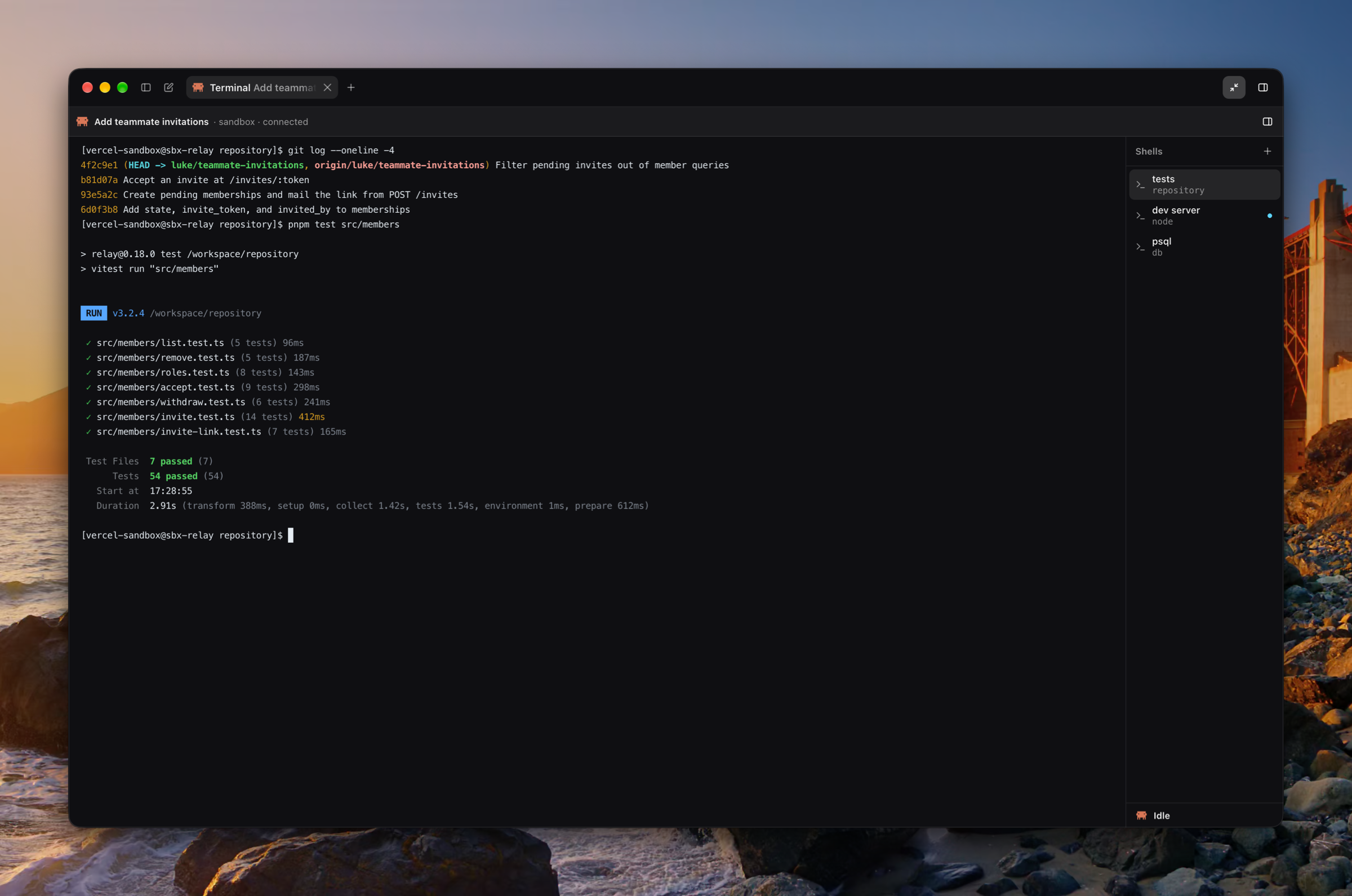
Type @ in the plan or in a coding agent's message box to mention a file, a folder, or one of the plan's sections; in the agent's box, @ also offers the repository's skills and your MCP servers and their tools. A mention is a chip wherever it is drawn, a renamed heading renames its mentions, and Luke never drops one when he corrects the plan. The agent is handed what it cannot read itself, and a server or tool mentioned rides along on the next turn alone. In a File tab, ⌥⌘K mentions the selected lines, pinned to their commit, and a pasted link to an integration's page is a chip that brings its server along. (#2593, #2603, #2586, #2624, #2653, #2664, #2643, #2668, #2683, #2721, #2792, #2795)
Who did what
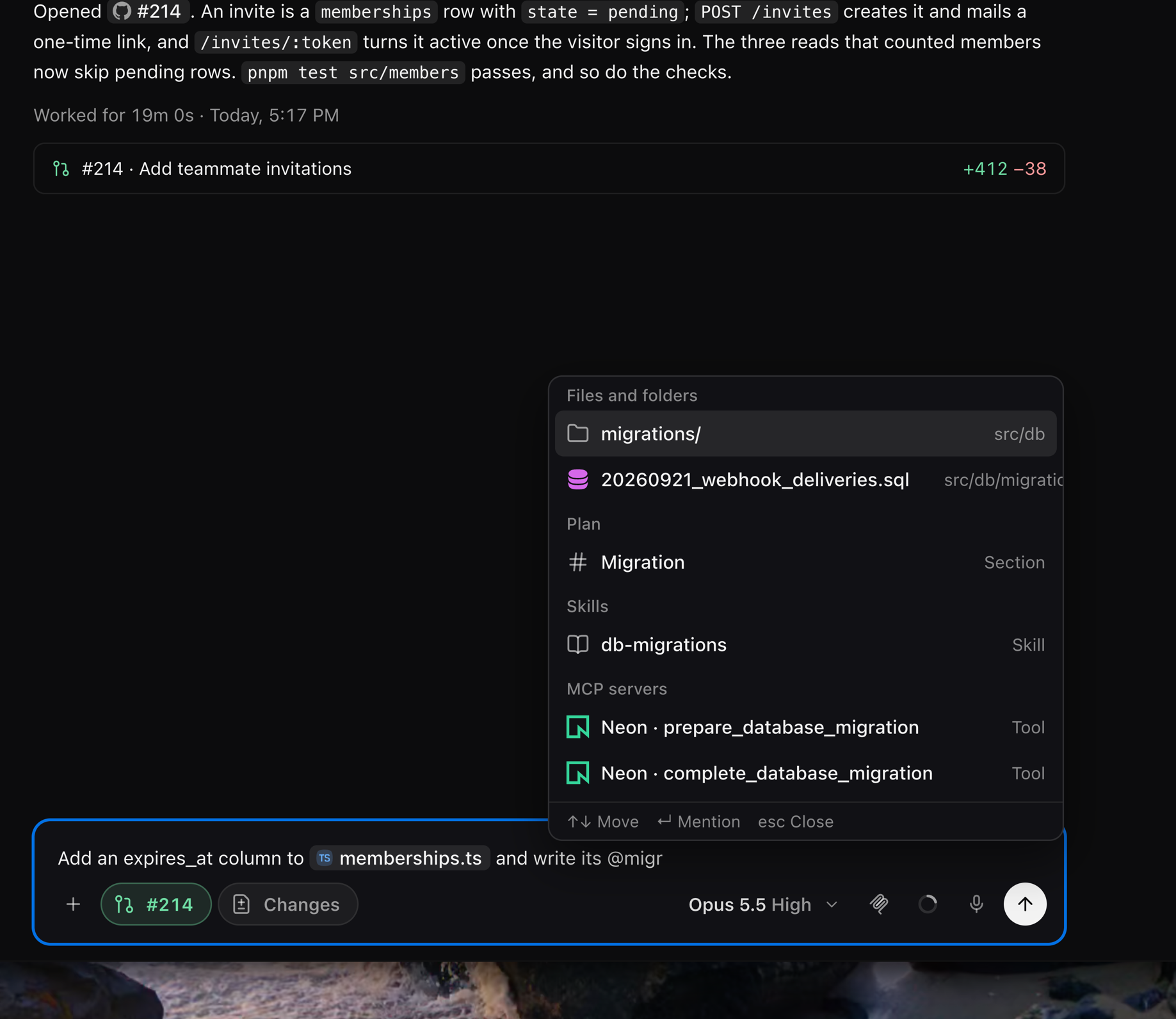
Everyone is drawn one way: a person on a circle with their picture, and Luke, a coding agent, or an automation on a rounded square. A plan's "Edited by" line and its section bylines name whoever wrote it, the time opening the history, and a task's ⋯ menu ends with who created and last edited it. A teammate's call is headed by their face and name, their messages in an agent's tab carry it, and an agent a teammate started, an Inbox answer, and a command run on someone's Mac each say whose it was. A task someone else created wears their face in the sidebar, and its card, crumb, Home, the Factory, and ⌘K name who created it. (#2784, #2794, #2796, #2793, #2779, #2774, #2775, #2773, #2742, #2748, #2702, #2715, #2638, #2853, #2854, #2873, #2875, #2877)
Workspaces, clearer
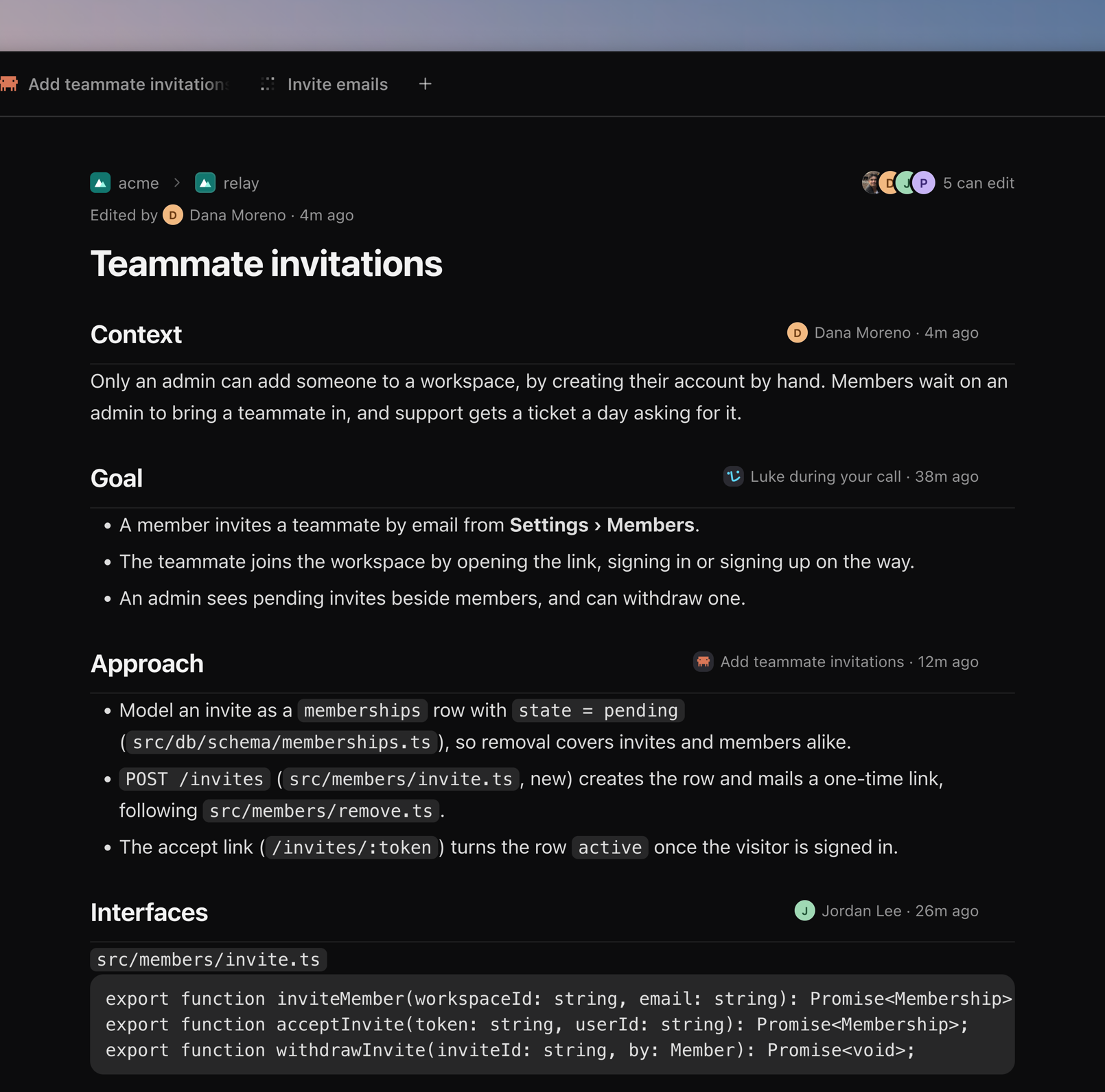
The workspace heads the sidebar by its tile, its photo or first letter, and who shares it, and the window's title, New task, and a task's crumbs say where you are: "acme › relay" and "5 can edit" over its title. Switching workspaces opens its last task or its home, the Inbox follows, and Search names the others. A personal workspace takes your name. Owners and admins rename a workspace and set its photo, the owner makes members admins and hands the workspace over to leave it, and an invite stays good after whoever sent it leaves. A task whose repository its workspace cannot reach says so over every tab and offers Move to workspace, which says who loses and gains it. (#2718, #2712, #2802, #2719, #2723, #2730, #2808, #2733, #2736, #2741, #2764, #2786, #2788, #2789, #2772, #2749, #2750, #2757, #2820, #2824, #2840, #2845, #2761, #2771, #2803, #2804, #2870)
Tasks
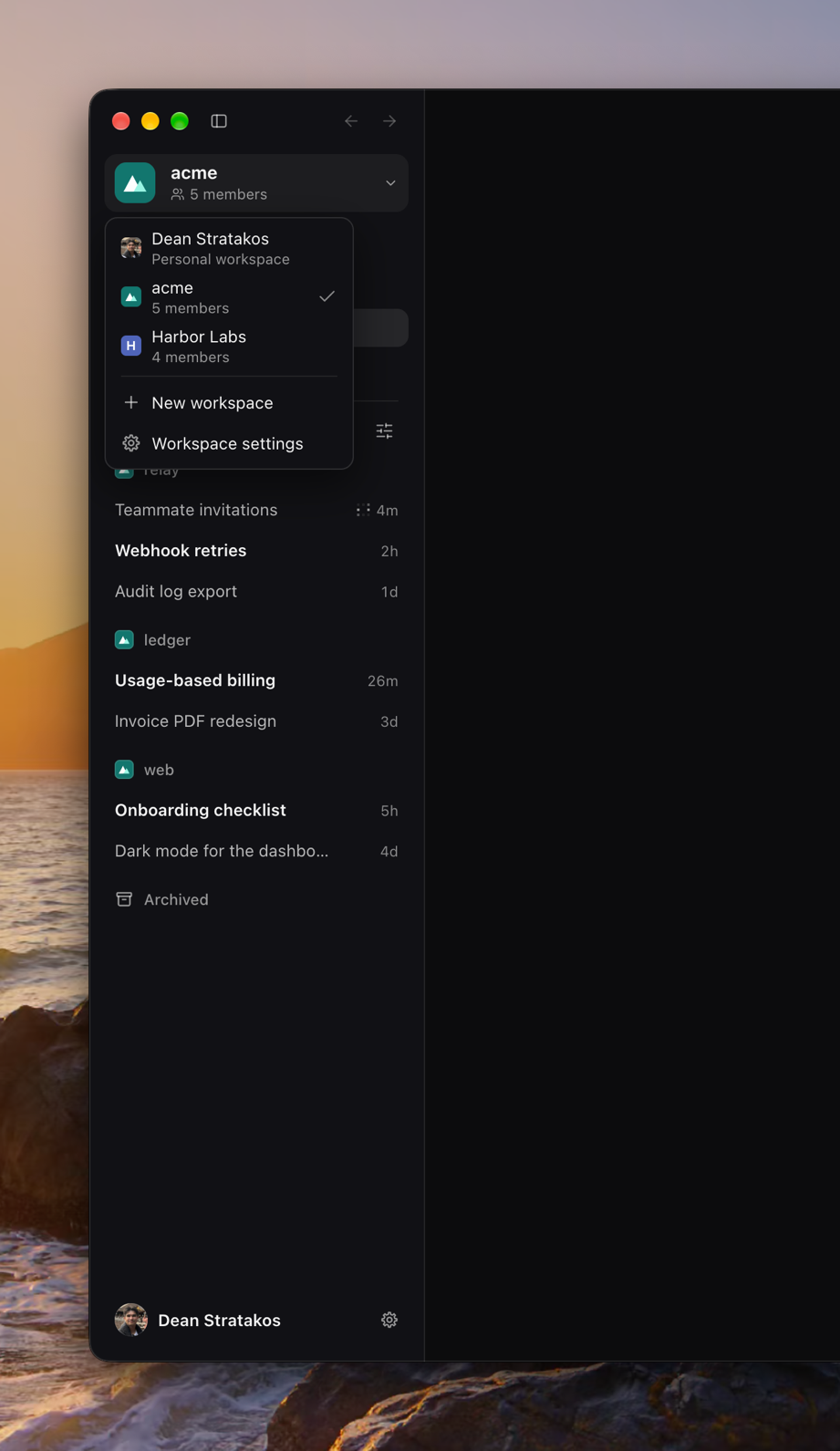
What you work through with Luke is now a task, and the plan is the document inside it: the sidebar, New task, ⌘K, the Tasks menu, and every notice say so. A coding agent's own instructions, and an automation's, are its Prompt. (#2835, #2841, #2844, #2848)
Luke links
Copy link to task, in a task's ⋯ menu or the ⋯ beside its title, copies a link that opens the task in Luke at its section: pressed in the window, from another app through tryluke://, or from a browser through a page whose one press opens Luke and which says what to check when nothing opens. (#2695, #2696, #2697, #2819, #2831)
Experiments: Automations and the Factory
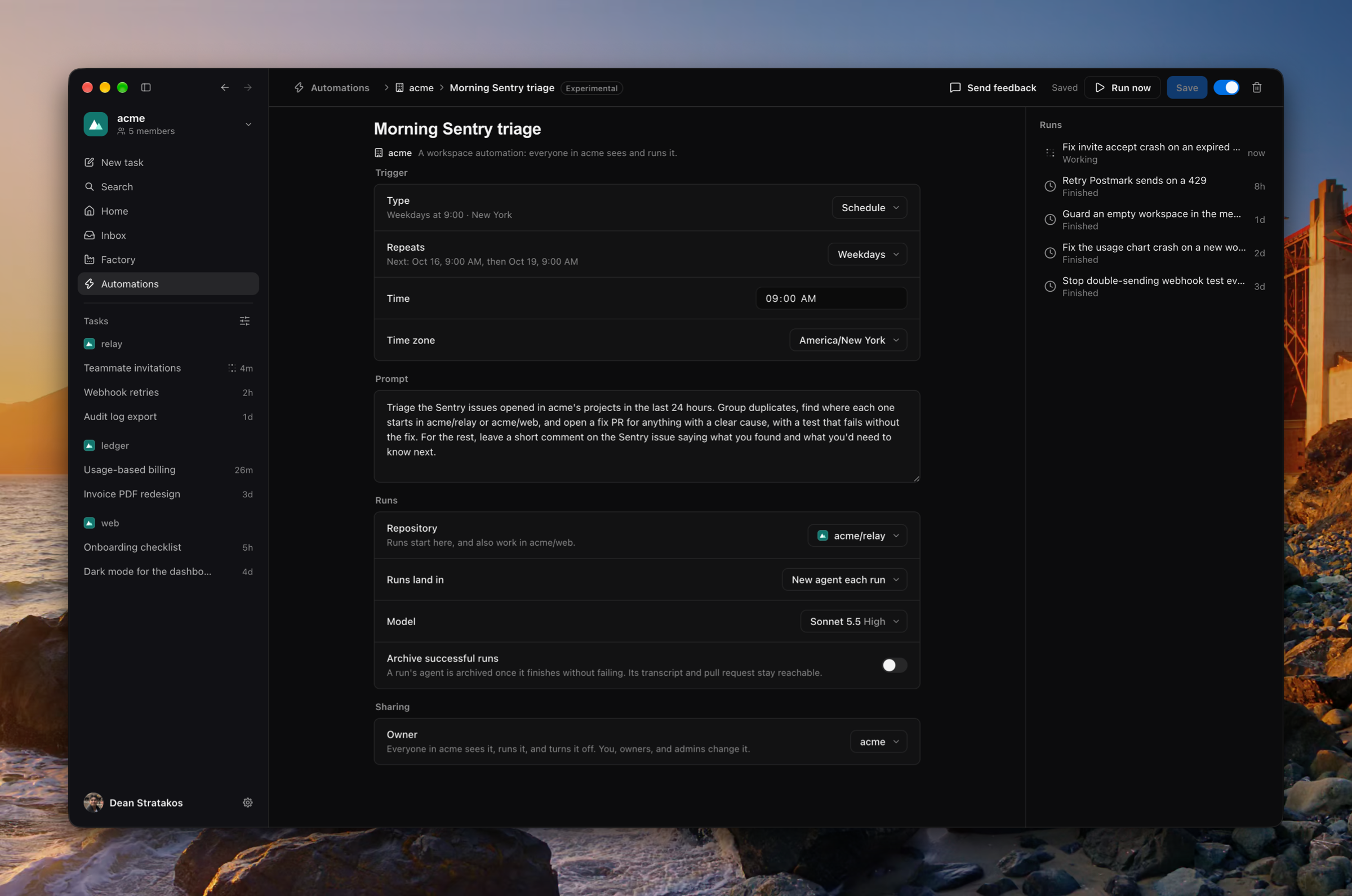
Settings › Experimental turns on features before they are finished. Automations start a coding agent on a schedule, on a GitHub event in the workspace's repositories (choosing whose events, at which moments, and whether drafts and forks count), or from a webhook, for you or the whole workspace, and its page lists its runs, each opening the agent it started. An agent an automation started belongs to no task: it has a page of its own, its questions wait in the Inbox under its automation, and it says what started it. The Factory is a read-only board of every task, from Plan to Build to Ship, beside the Inbox. (#2709, #2699, #2692, #2752, #2754, #2759, #2760, #2776, #2778, #2768, #2770, #2805, #2780, #2799, #2674, #2720, #2713, #2745, #2765, #2767, #2601, #2608)
Improvements
- The sidebar lists tasks in one section, grouped by repository, by creator, or not at all, in the order you choose, and filters them by who created them (#2893, #2899)
- The Changes tab and card name who opened the pull request, its reviewers by where each stands, its commit authors, and its review comments (#2862, #2863, #2865, #2878)
- A Mermaid fence in a plan draws as its diagram, in the read view and under its code in the editor (#2890)
- A workspace holds several GitHub installations, listed in Settings › Workspace and managed on GitHub (#2642, #2644)
- Start a task without a name: it stands as Untitled until you name it (#2888)
- An Inbox item standing alone says where it stands, 2 of 8, and steps through the list by its arrows, J, and K, and a settled one offers the next that needs you where its box stood (#2882, #2885)
- A task counts as read the moment it opens, on whichever of its tabs (#2900)
- A pinned task is pinned for you alone, not for the whole workspace (#2901)
- Luke answers sooner on a call, his replies waiting on nothing earlier, and a call greets you from where the last one left off (#2623)
- A link is one quiet underline, a bare address says its host and path with a ↗, and cards, Inbox rows, and notifications name a link rather than print it (#2800, #2815, #2798, #2797)
- Executor joins Settings › Integrations, every tool offered and its approvals put to you (#2590)
- Settings › Integrations searches integrations and tools on its own, and a tool opens onto a page of its own there and in the MCP popover (#2635, #2700)
- A window too narrow for the sidebar folds it to float over the work, and a narrow Inbox opens on its item, the list a press of ‹ Inbox away (#2679, #2680, #2879)
- An Inbox option the agent recommends wears a Recommended badge (#2881)
- A repository out of reach says why under the composer and offers what mends it (#2573, #2588)
- A sign-in Connect cancelled or refused says so, with Try again (#2595, #2604)
- The repository chip says when a workspace's GitHub was removed or suspended on GitHub, rather than that none is connected (#2834)
- Each column's ⋯ offers the chosen tab's actions, and tab housekeeping stays on the right-click (#2783)
- The sidebar sets an unread task in semibold and a read one in a quieter ink, every row 30px tall (#2801)
- Every window draws its words without the Mac's font smoothing (#2807)
- The sign-in's buttons stand taller and wear "Last used" on the corner of the one it marks (#2782, #2785)
- A tool-call group leads with its fold's chevron, wears the failed mark where a call it holds failed, and a subagent's tab groups its calls as its agent's does (#2892, #2907)
- No button, menu item, or command ends its name with an ellipsis (#2821)
Fixes
- Fixed a sidebar group not listing its tasks newest updated first (#2818)
- Fixed Settings saying Connected for a GitHub installation that GitHub removed or suspended (#2828, #2829)
- Fixed an agent's terminals failing to list in a busy account (#2809)
- Fixed "Changed since you last looked" missing a teammate's saves (#2689)
- Fixed Home missing a teammate's agent's open items (#2755)
- Fixed the Call tab not naming a teammate's call (#2694)
- Fixed Choose a model's menu hanging away from its button and showing a stale catalog (#2763)
- Fixed an open popover jumping as its button grew or shrank (#2629)
- Fixed a call's card floating over a version history's versions (#2816)
- Fixed Contact us opening inside the account menu rather than beside it (#2649)
- Fixed Settings › Profile and Settings › Workspace drawing you unlike the rest of the window, and offering Remove on your own row (#2810, #2813)
- Fixed a transparent workspace photo showing its letter tile behind it (#2769)
- Fixed a picture on its own line opening in the plan editor as something you could not edit (#2886)
- Fixed a menu's second submenu item not opening its submenu on hover (#2917)
- Fixed Luke's face moving on the sign-in screen (#2891)
- Fixed an agent's to-do list sitting off its rows' text, its item in progress now wearing the working mark (#2874)
- Fixed an inline chip sitting off its line's baseline, a section's byline sitting off its ⋯, and a page's empty state sitting low (#2856, #2658, #2832)
Misc
- Updated the renderer to load Settings, analytics, and the markdown parser as chunks of their own, its main bundle 18% smaller (#2738, #2743)
- Updated the code's layout so application logic lives in
packages/, under one@luke/*scope (#2648, #2652, #2654, #2659, #2728) - Added screenshots to 0.13.0 from its own build (#2645)
Workspaces
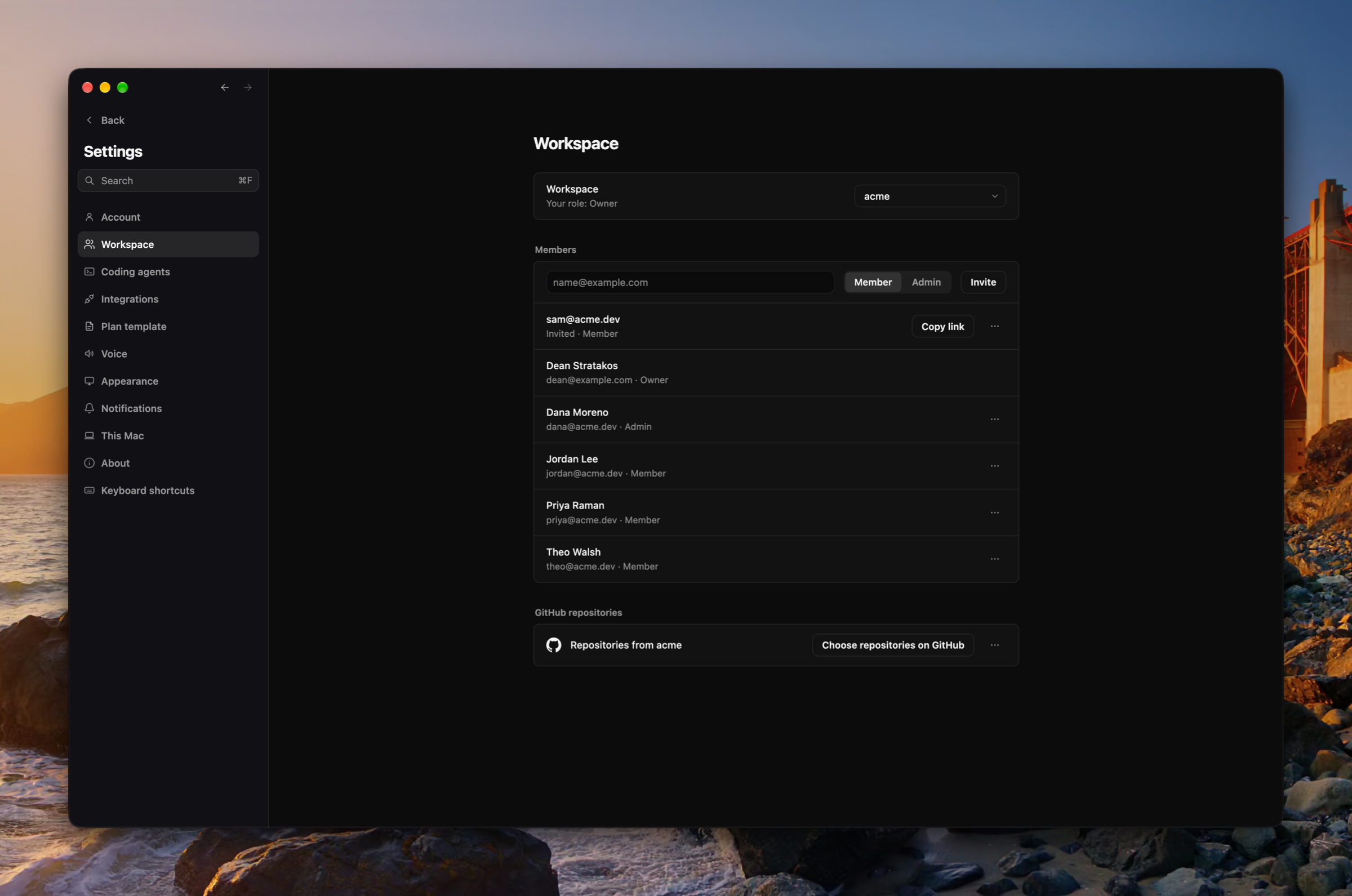
Plans now live in workspaces you share with your team. Every account starts with a personal workspace, and the sidebar switches between workspaces and creates new ones. A workspace's members read and write its plans, its coding agents, and their calls. Settings › Workspace invites people by link, lists the invites still pending, removes members, and connects the workspace's own GitHub organization, whose installation is the only source of its repositories. Your personal GitHub link moves to Settings › Integrations, and the Mac signs in once and holds a session of its own. (#2110, #2111, #2122, #2133, #2151, #2152, #2124, #2250, #2268, #2274, #2396, #2135, #2153, #2414, #2418, #2427, #2500, #2501, #2502, #2503, #2504, #2505, #2508, #2524, #2539, #2566)
Eight more integrations
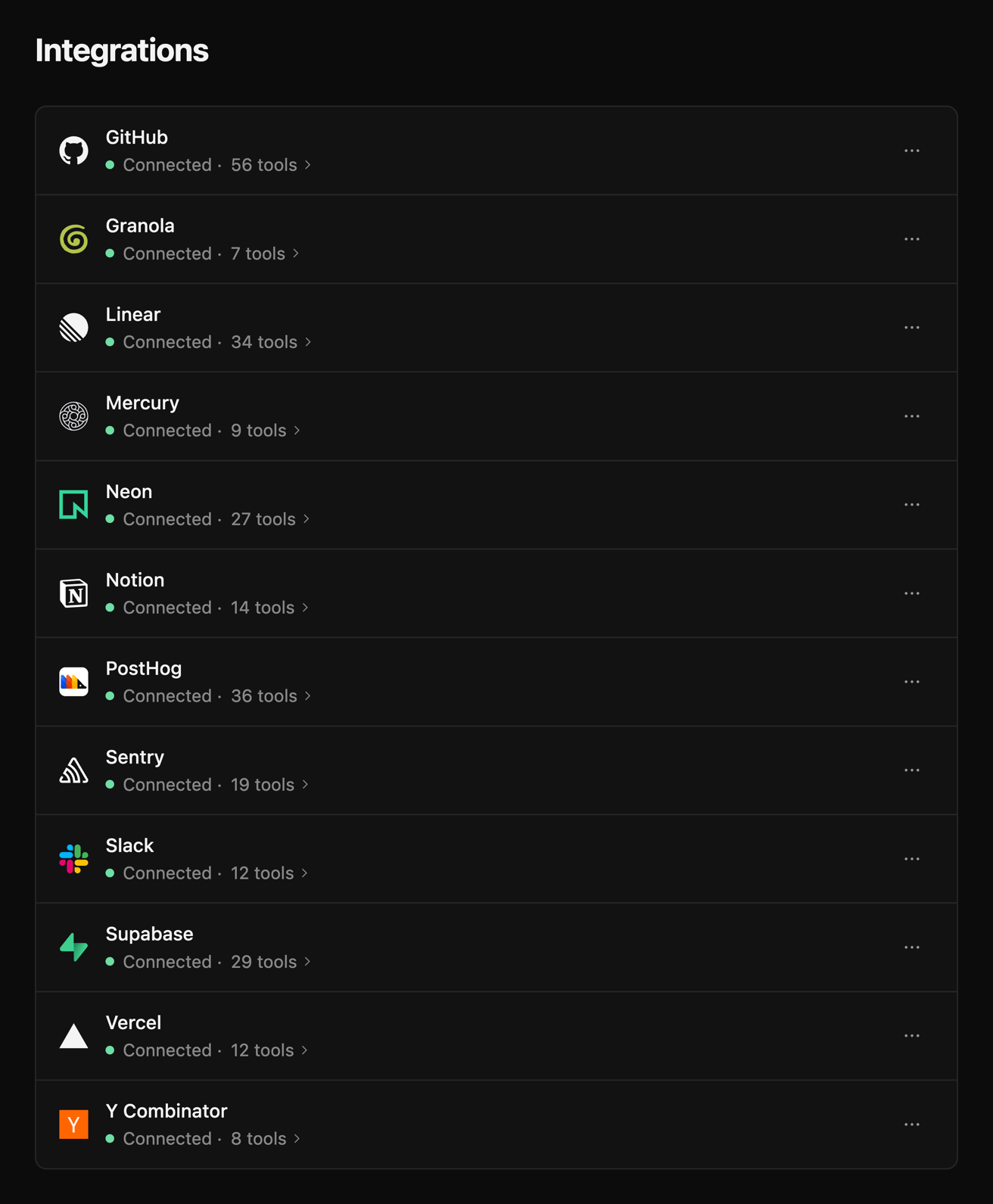
GitHub, Granola, Mercury, Neon, PostHog, Supabase, Vercel, and Y Combinator join Linear, Notion, Sentry, and Slack in Settings › Integrations. Every tool a server offers is now offered to Luke and coding agents, Slack's writes included. GitHub connects through your own GitHub sign-in. An integration reads Connected only once its server answers with tools, and says the server's own reason when it does not. (#2495, #2499, #2479, #2490, #2532)
The MCP popover
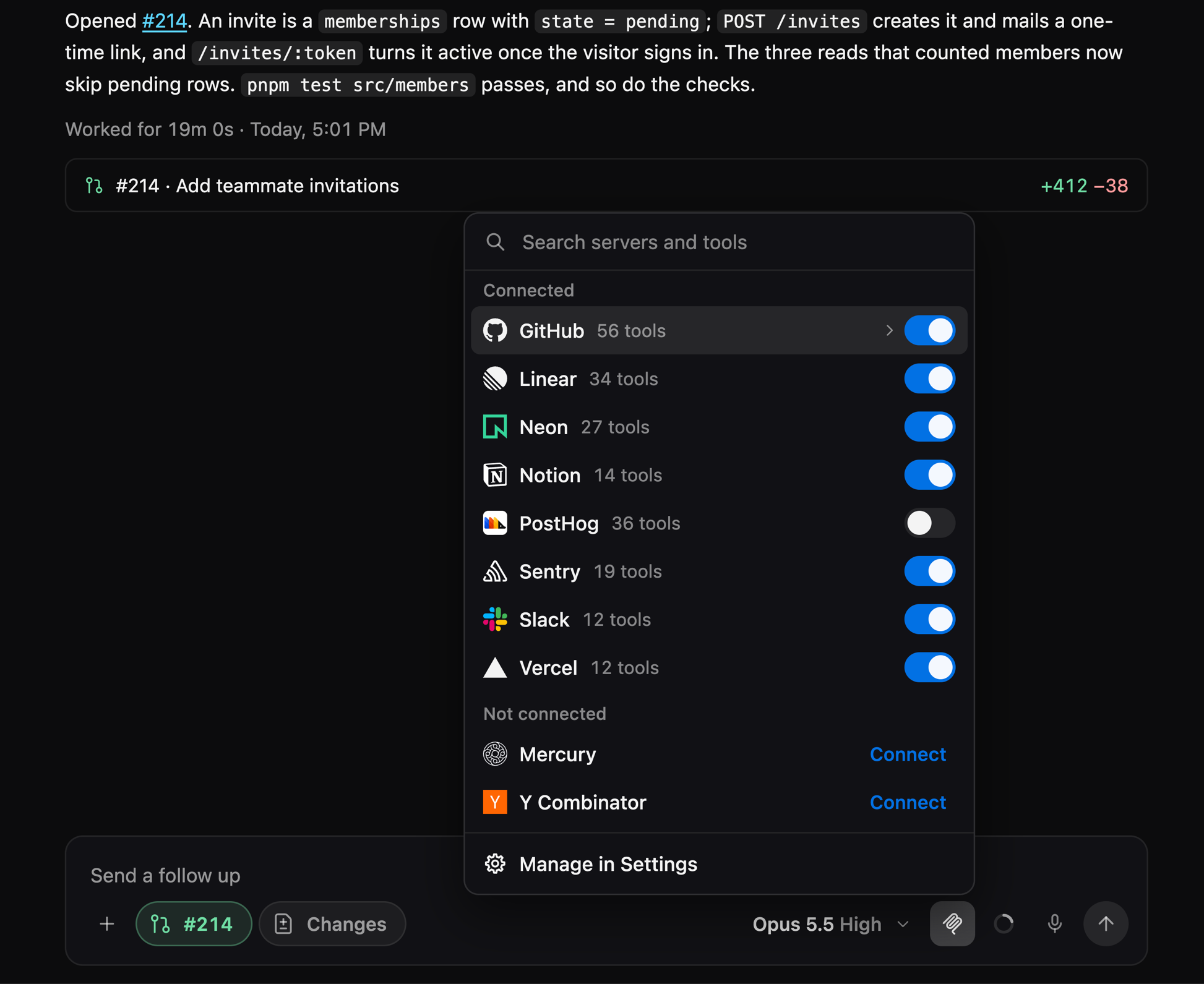
The MCP button in a coding agent's message box searches servers and their tools, lists Connected apart from Not connected, and opens a server onto its tools in place, each tool onto its whole description. Settings › Integrations searches the same way, and a connected row opens onto its tools. (#2527, #2528, #2542, #2554)
Home
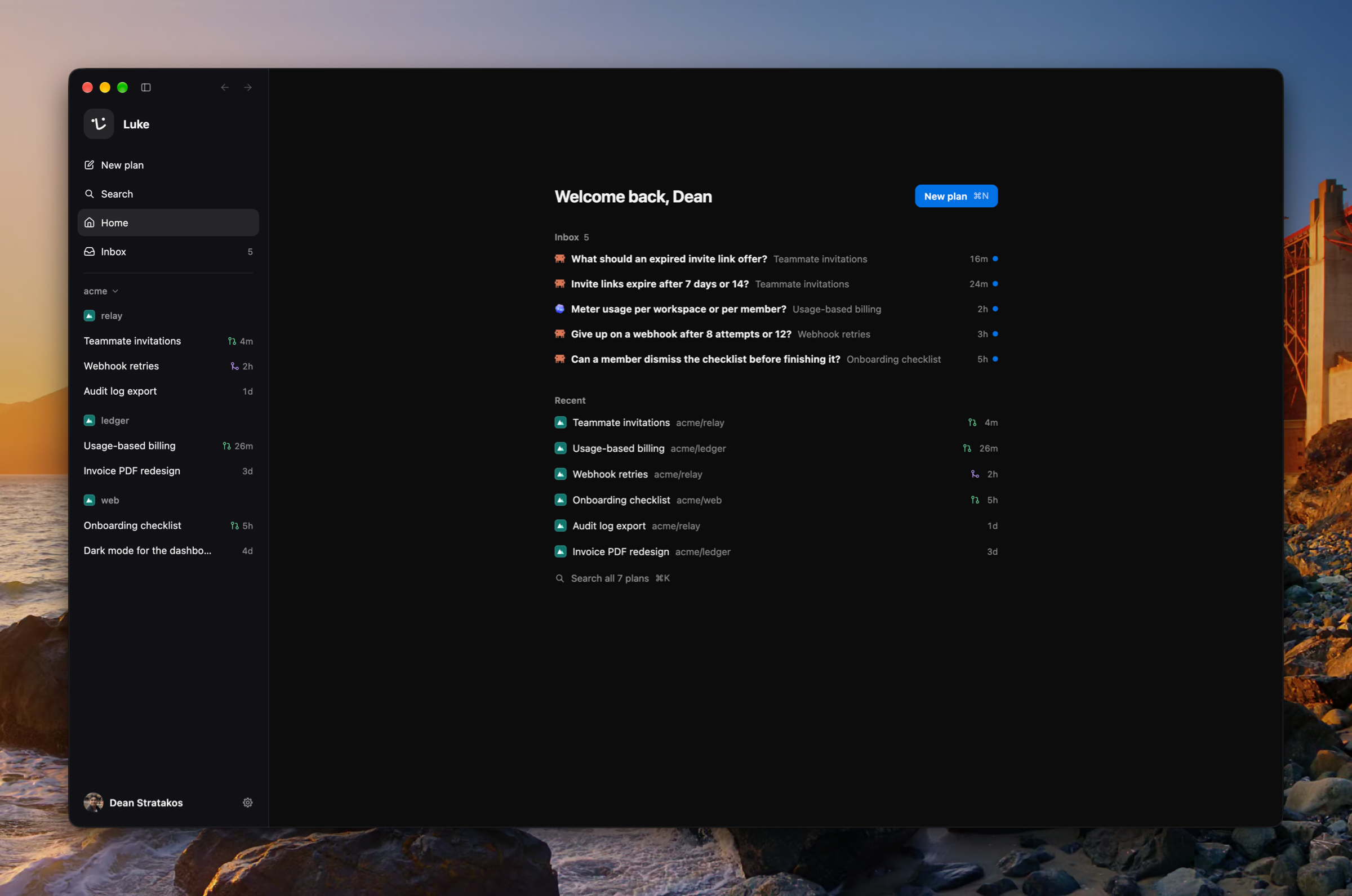
With no plan open, Luke rests on a home page that greets you with New plan, what needs you, and your recent plans, which ↑ and ↓ move through. The sidebar's Home row and ⇧⌘H go there. A launch reopens the plan you last had open, its tabs and side panel as they were. New plan is now a dialog over the window with the plan's name and a repository chip. (#2468, #2485, #2494, #2543, #2550, #2562)
The Inbox, one item at a time
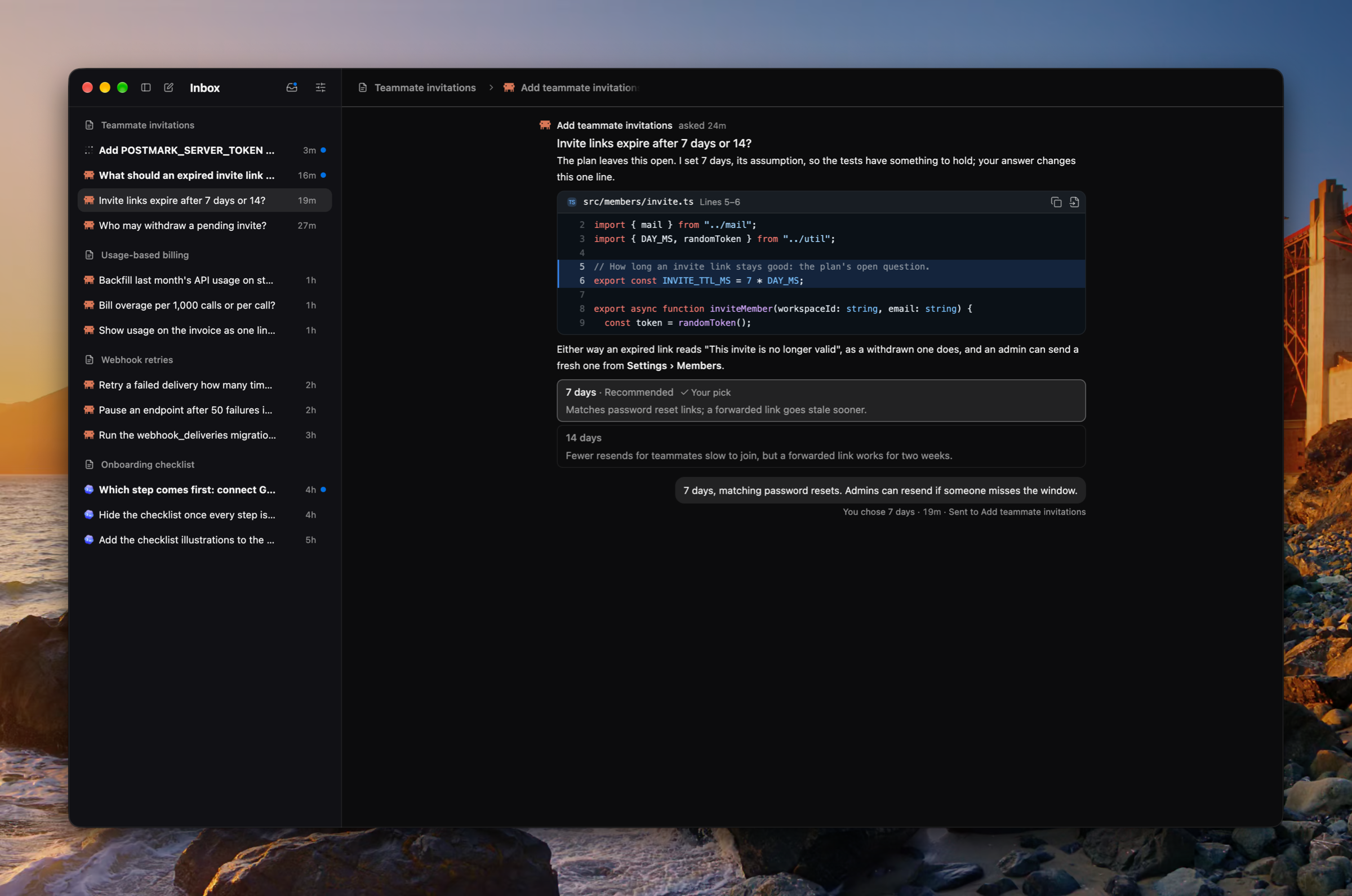
The Inbox reads one item at a time beside a list grouped by plan or newest first. What needs you wears a dot and a bold title, and the Needs you toggle narrows the list to it. A settled item shows what it offered with your pick marked, and the list resizes. (#2442, #2465, #2497, #2551)
Fast on your own key
Saving an Anthropic key asks once whether its organization runs fast mode, and Fast is offered on any key that does. When the organization was never granted fast mode, the Fast row says so and links to where you ask for it. A fast step Anthropic refuses runs again at standard speed, and its turn's card says so. (#2544, #2552, #2555, #2556)
Improvements
- ⇧⌘T reopens the tabs you closed, the latest first, each where it stood (#2429)
- The update pill shows only what there is to press, a failed check says so, and Luke's menu can check for updates (#2428)
- An agent's GitHub error offers the GitHub sign-in, and the start or message goes through once you sign in (#2415)
- An integration's sign-in waits with Reopen and Cancel, and says when it failed or did not finish (#2521)
- Every setting has one home in Settings, and Open Settings mends every GitHub and integration refusal (#2418, #2501)
- ⌘K lists the Settings pages, and steps its filters with ⌘[ and ⌘], or ← and → while the field is empty (#2489, #2496)
- A tool row about a page, the board, an agent, code, the plan, or the Inbox opens it (#2484)
- An agent named anywhere, in the Inbox, a transcript, ⌘K, or the archived list, hangs its card and opens its tab (#2523)
- A file is named one way wherever it stands, hangs its card, and opens in the side panel (#2559)
- Copy a link to a plan section from its heading's ⋯, and a mention of it in the plan opens it (#2577)
- A page tab's code toggle shows its version's HTML as a File tab draws a file (#2487)
- An agent's Changes tab is kept, pinned, and named for its agent like the side panel's other tabs (#2439)
- A press on a skill's chip opens its SKILL.md, and a coding agent's Loaded skill row names the skill as /name with its card (#2473, #2557, #2578)
- The Call tab stands a call's first ask and opening look-around where they happened, and folds a spoken turn's words with its work (#2433, #2486, #2436, #2437, #2453, #2449)
- The notetaker writes a correction in place of exactly what it names, and may write a point's parts as sub-bullets (#2460, #2463, #2459)
- Switches turn on in the accent blue (#2518)
- Every menu, modal, hover card, tab, fold, chip, and segmented control is drawn one way across the app (#2536, #2538, #2549, #2553, #2558, #2560, #2531)
- Working, failed, unread, a pull request, a provider, and a time each wear one mark wherever they are drawn (#2526, #2530, #2535, #2546)
- A read that did not land says so the same way everywhere, then offers Retry (#2534)
- Fewer lines describe the screen back to you (#2567)
Fixes
- Fixed a goodbye's turn reading as failed rather than settled (#2433)
- Fixed the voice and call windows being sent the planning conversation (#2464)
- Fixed Settings pages drawing at the wrong size on their first frame (#2425)
- Fixed menus scrolling sideways and the MCP popover's title sitting off (#2475)
- Fixed the Inbox's crumbs and name drawn out of place, in a window and in full screen (#2488, #2493)
- Fixed the account menu and the in-place GitHub and integration remedies missing after the workspaces change (#2517, #2520)
- Fixed Granola's and PostHog's marks (#2519, #2529)
Misc
- Updated PRIVACY.md to describe what shipped on 13 October and what the new integrations can do (#2462, #2495)
- Updated Better Auth to 1.7.7, Effect to 4.0.4, and Drizzle to v1 (#2409, #2412, #2424)
- Updated the renderer to ship as ES modules, with a smaller bundle (#2506)
- Added screenshots to 0.12.0 and retook 0.2.0 through 0.11.0's from each release's own build (#2435, #2481, #2482, #2492)
- Added changelog pages ten releases at a time, a page for each release, and an RSS feed (#2498, #2507)
The Call tab
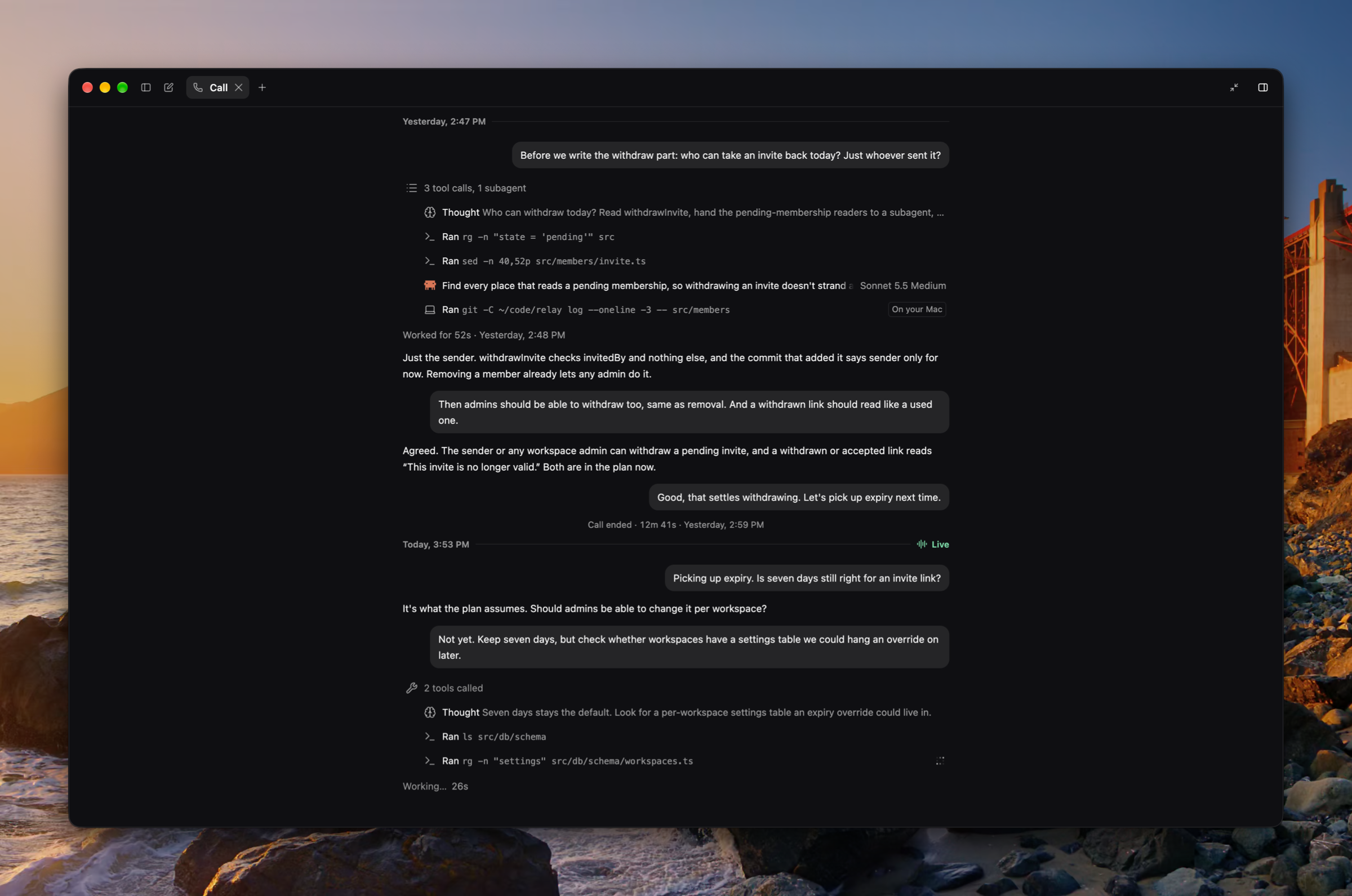
Each plan's calls now read as one thread in the Call tab, which takes the place of Transcript and Work. What you and Luke said stand as messages, and the work Luke did for a line, his thinking, commands, and subagents, sits right under the line that asked for it, drawn as a coding agent's turn is. Each call ends on how long it ran, and its card says why it ended and the model it ran on. (#2365, #2368, #2369, #2378, #2404, #2242, #2246, #2410, #2417)
The plan is one document
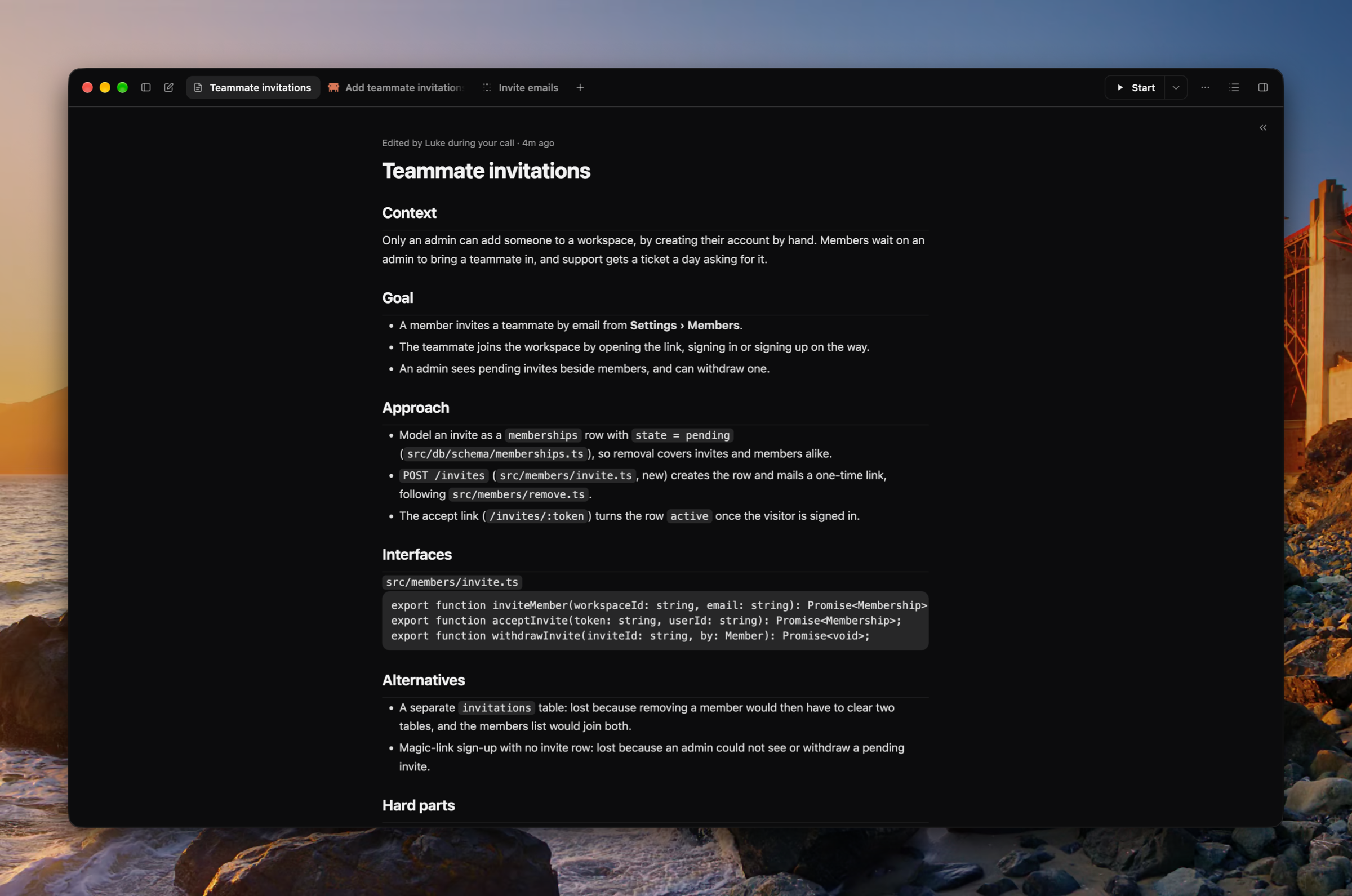
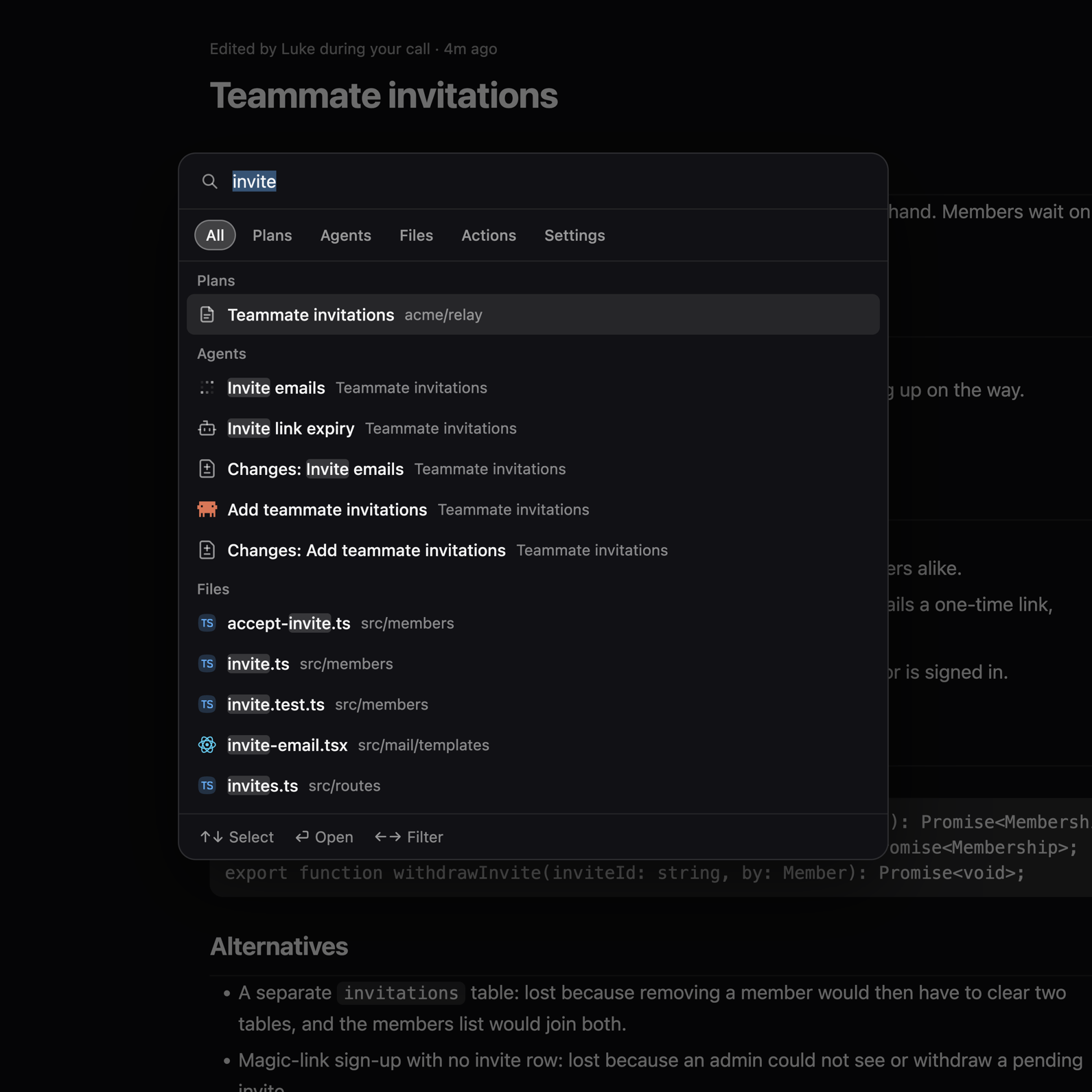
A plan is now one Markdown document you edit in place, its title inline, and the tab, the sidebar, and ⌘K follow the title as you type. New plans start as a copy of your account's template, which you write in Settings › Plan template, with a version history of its own. The default template reads like a design doc between teammates: context, goal, approach, interfaces, alternatives, hard parts, testing, and open questions. Luke writes each note under whichever of your headings it belongs to, and plans from earlier releases carry over as documents. (#2114, #2182, #2186, #2190, #2193, #2219, #2220, #2226, #2248, #2275, #2315, #2317, #2320, #2331)
Version history
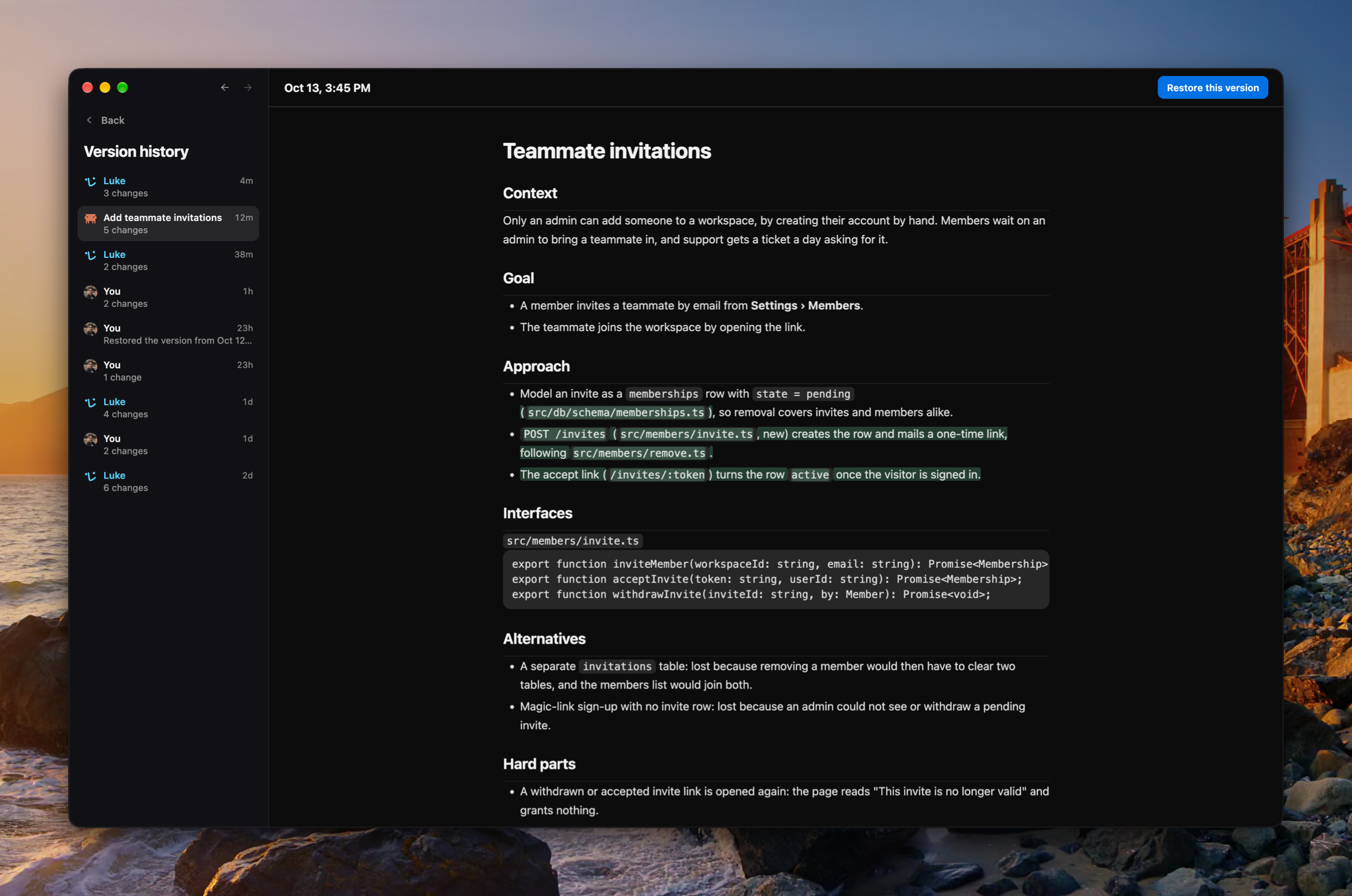
Every save to a plan is kept. Version history, in the plan's ⋯ menu, takes the whole window the way Settings does: each version stands under who wrote it, a version of several changes opens the sections it changed, Open goes to where it was written, and Restore puts it back as a new version, so a restore can be undone too. Each section says who last edited it, and that line opens the version. (#2011, #2017, #2025, #2042, #2063, #2147, #2254, #2261, #2272, #2292)
The Inbox
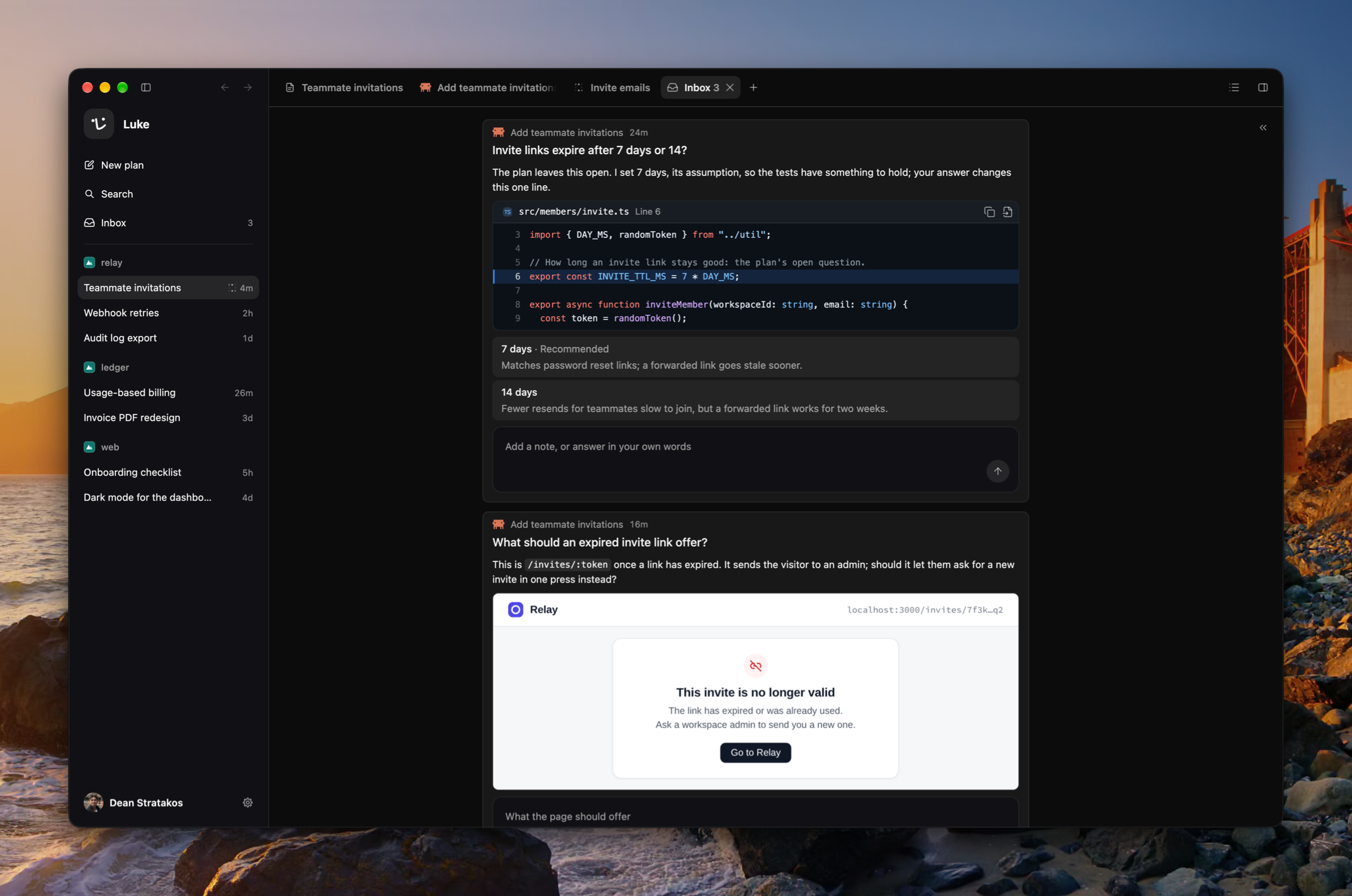
Coding agents post what they need from you, a decision, a manual step, or a question, to the plan's Inbox rather than leaving it in a transcript. An item can carry text, links, exact lines of the repository, and pictures the agent took in its sandbox, and you answer it in the plan's Inbox tab. The sidebar's Inbox lists every plan with items waiting and counts them, and a new item raises a notification and a badge on Luke's Dock icon. (#2161, #2162, #2163, #2216, #2218, #2228, #2238, #2258, #2288, #2312, #2327, #2392)
The Changes tab
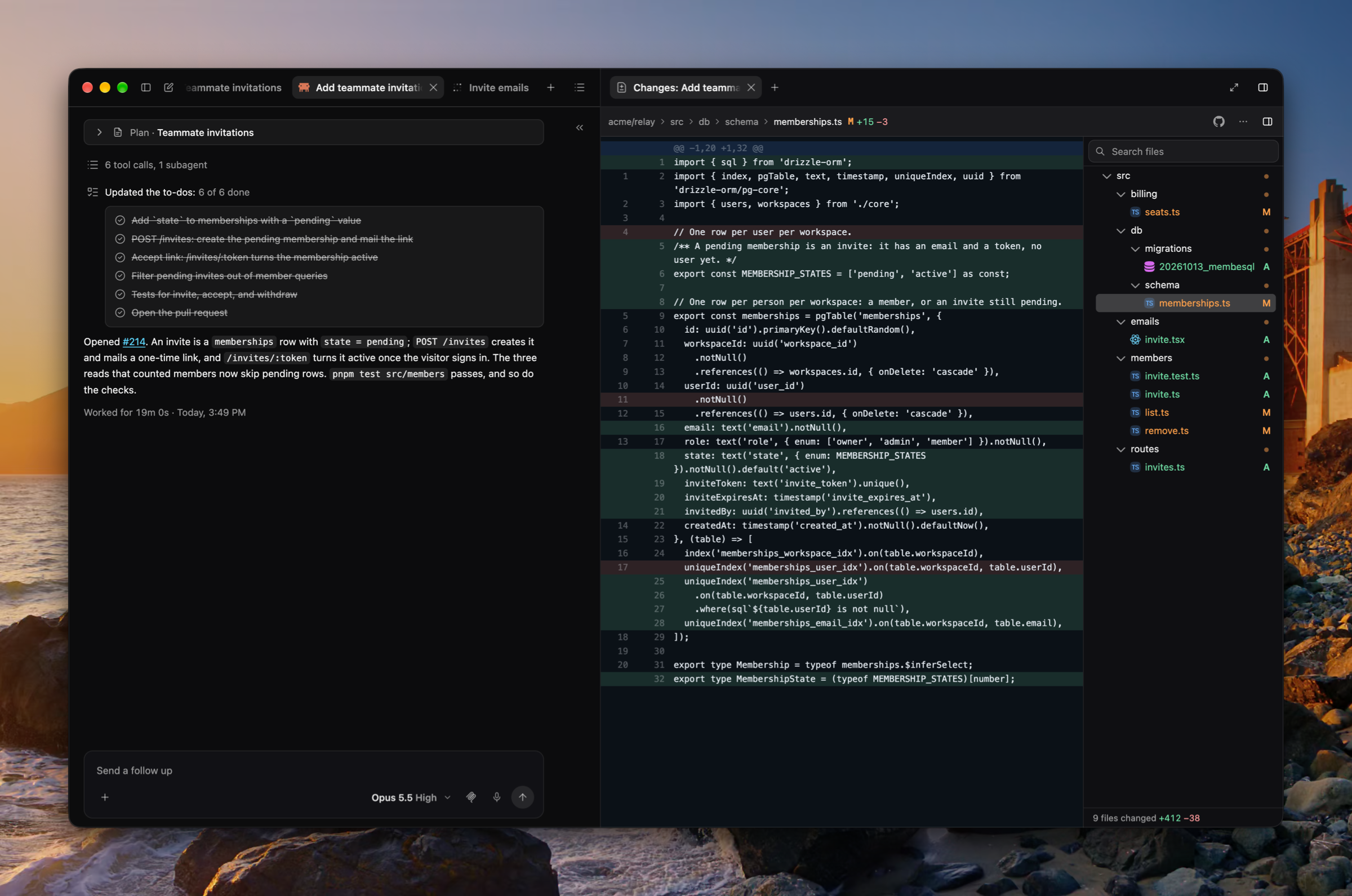
Once a coding agent opens a pull request, its Changes tab shows the diff file by file, beside the file tree narrowed to the changed files, with the file count, the lines added and removed, and a link to the files on GitHub. Open it from the agent's Changes chip, the side panel's +, the summary, or ⌘K. (#2307, #2395)
Skills
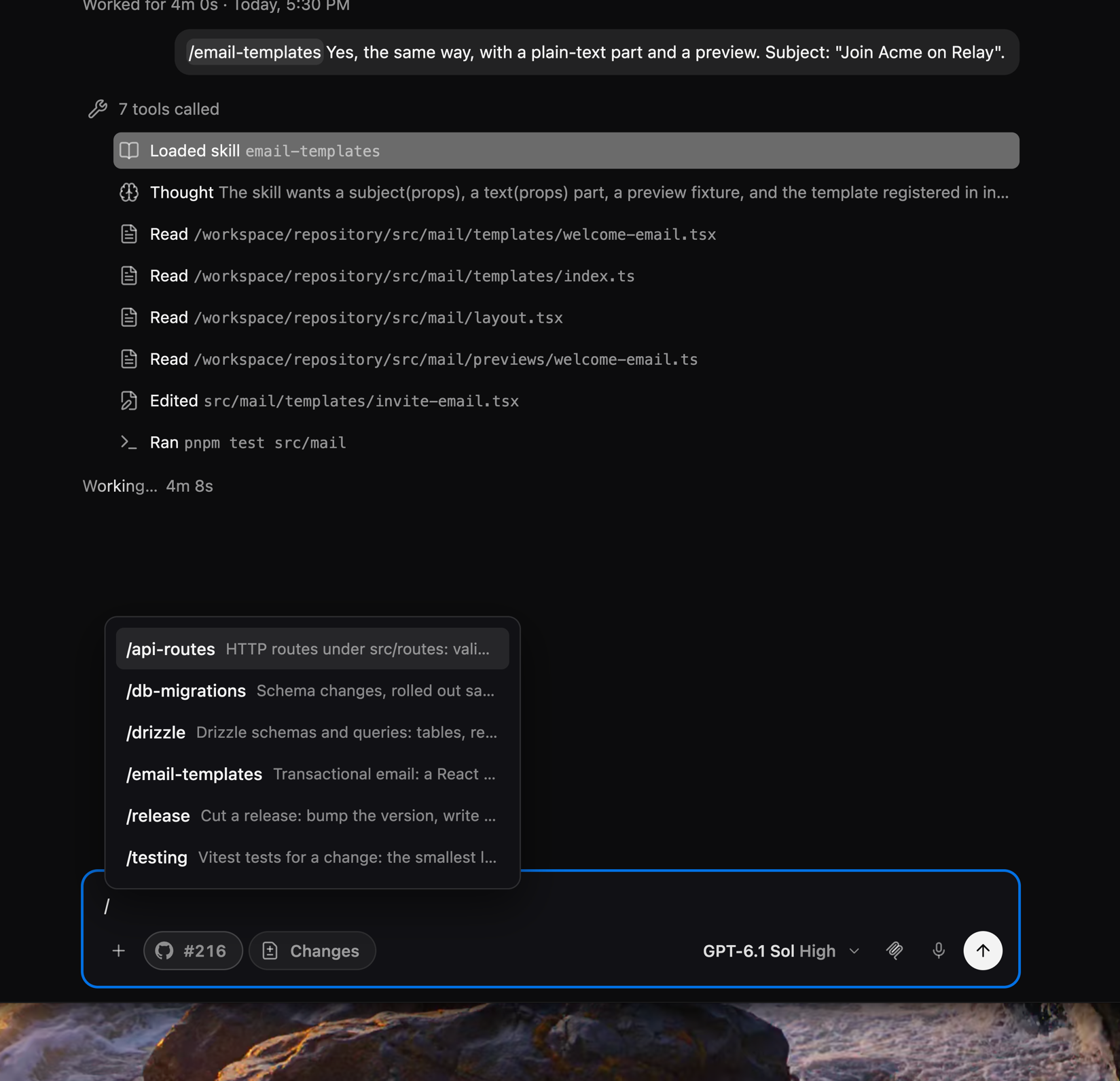
Type / in a coding agent's message box to list the agent skills in the plan's repository (.agents/skills and .claude/skills). The one you pick is a chip the agent loads, and a chip in a sent message opens the skill's SKILL.md in a File tab. Luke and coding agents are offered the repository's skills on their own too, and load one when it fits. (#2325, #2334, #2337, #2375, #2394)
Commands on your Mac
Luke, coding agents, and their subagents can run a shell command on your Mac. It runs in your login shell from your home folder, with no approval step, and draws in the transcript as a command row tagged On your Mac, with what it printed. It is on by default, and Settings › General › Let agents run commands on this Mac turns it off. (#2359, #2374, #2376, #2388)
Luke and coding agents share one runtime
Luke's planning model now runs on the same agent runtime as coding agents, so both have the same tools: the repository's skills, your integrations, the web, commands on your Mac, and pages. Both hand work to subagents the same way: Luke's subagents run in the background so the call keeps going, and a coding agent can wait on its subagent or work beside it. A message to a coding agent no longer stops a subagent it is waiting on, and every subagent row names the model and effort it ran on. Every model call on Luke's key, a coding agent's and each generated title included, now counts toward your account's usage. (#2132, #2244, #2363, #2365, #2367, #2372, #2386, #2387, #2402, #2403)
Pages
Luke and coding agents can show you an interactive page, such as a mockup or a comparison, in a Page tab in the side panel, drawn in a sandboxed frame. Each page keeps its versions, and the side panel's + lists the plan's pages. (#2360, #2362, #2364, #2370)
Integrations
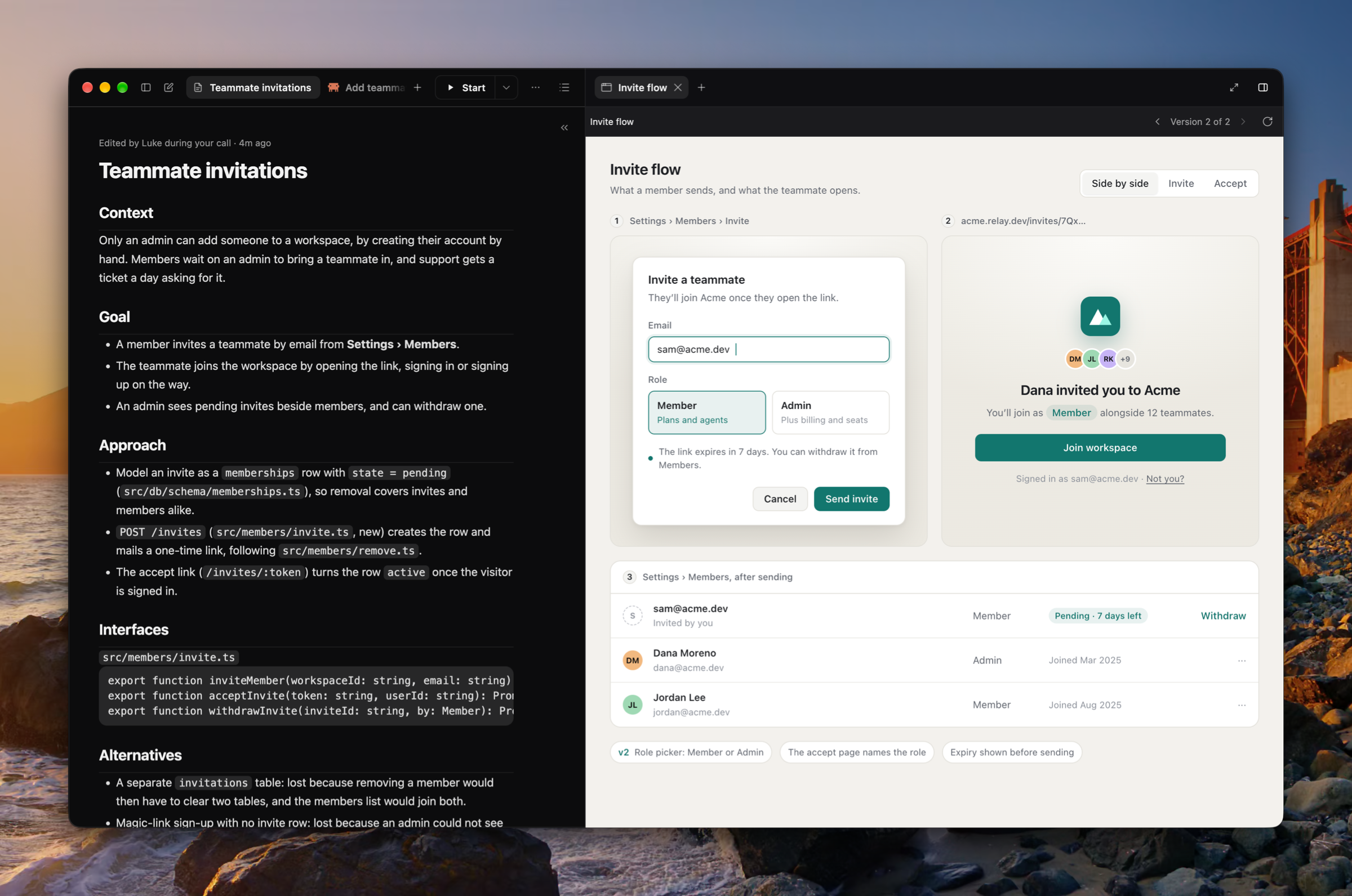
Connect Linear, Notion, and Sentry in Settings › Integrations, and Luke, coding agents, and their subagents use them through each service's own MCP server. The MCP button in a coding agent's message box lists each server's tools, switches a server off for that chat, and connects one in place. (#2070, #2319, #2328, #2329, #2333, #2336, #2358)
The call follows you
A call keeps going when you switch plans, open Settings, or leave Luke. While its plan is out of sight, the call bar stands at the foot of the sidebar, in the window's corner, or in a floating window over other apps, with a button back to the call's plan. Starting a call on another plan asks first. (#2123, #2136, #2169, #2185, #2209, #2224, #2251)
Pin, archive, and group plans
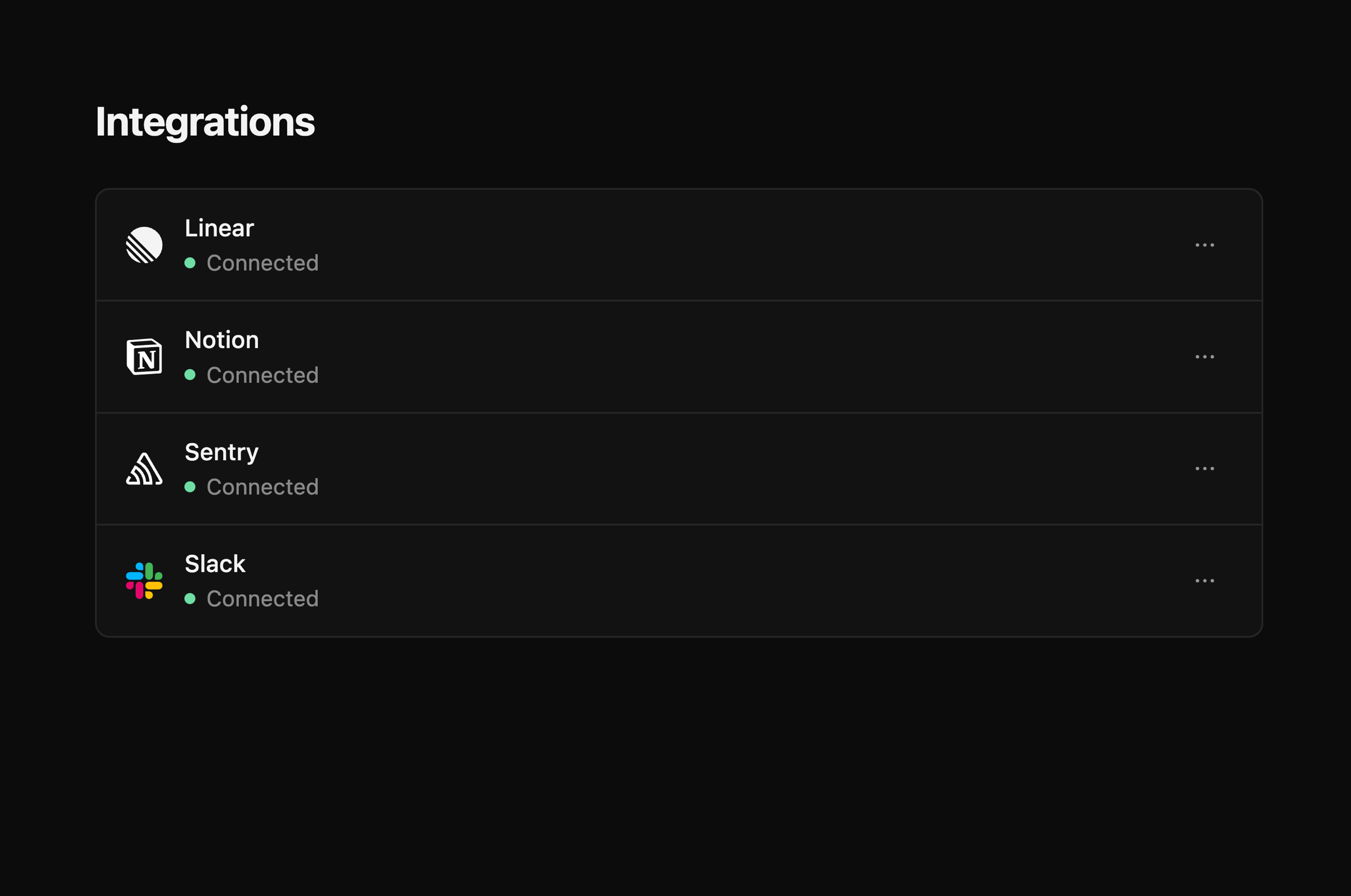
The sidebar groups plans by repository, each row with when it last changed, and each repository has a + that starts a plan on it. Pin a plan or a repository to keep it on top on every Mac you sign in on, and archive a plan to put it away read-only; Delete is now Permanently delete. A plan's hover card shows its repository, its coding agents, and their pull requests. (#1992, #2001, #2027, #2028, #2034, #2060, #2064, #2068, #2074, #2120)
A command palette
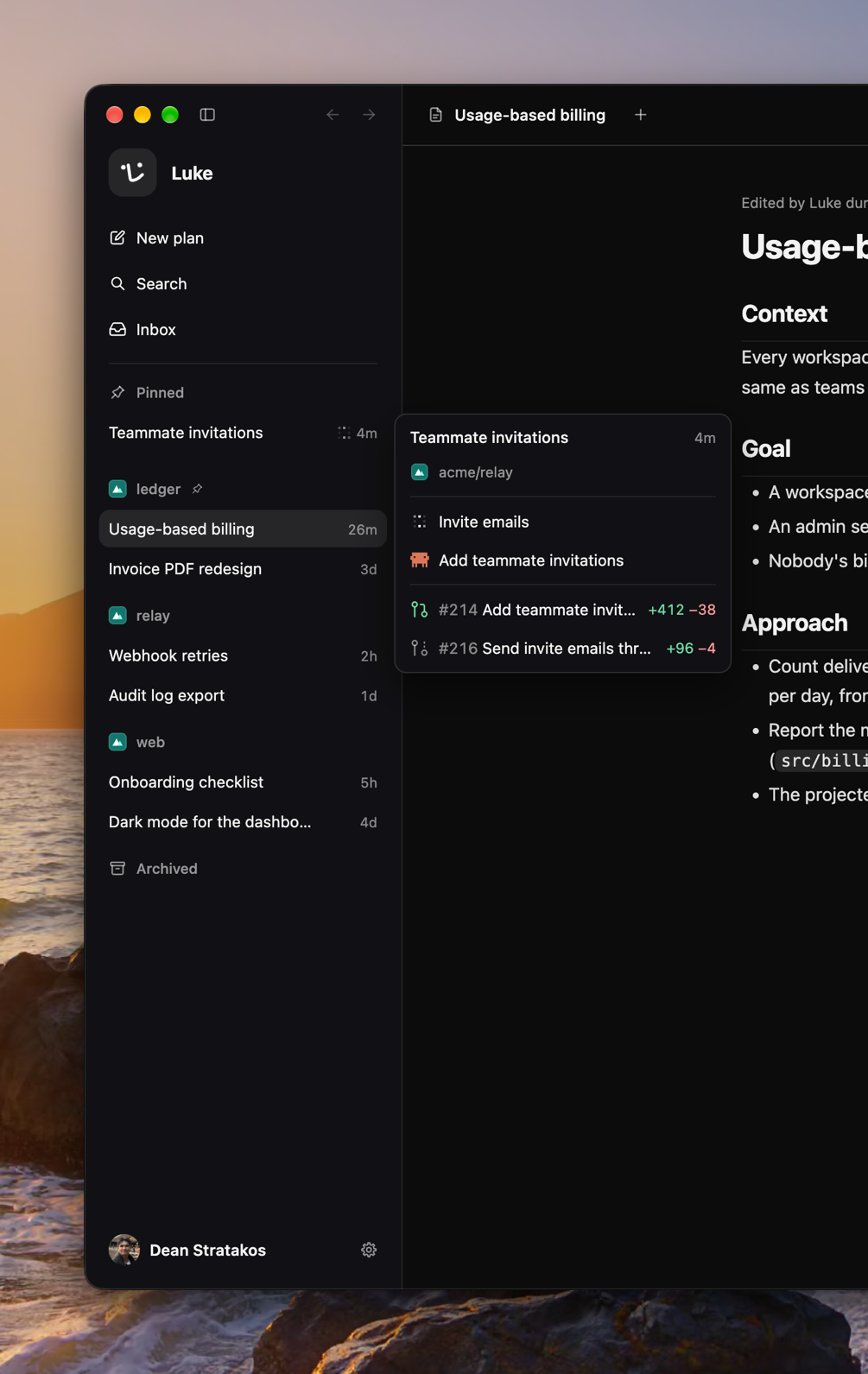
⌘K opens any plan, coding agent, subagent, setting, or command, and any file in the open plan's repository, with a filter for each kind. (#2010, #2192, #2212, #2399)
Improvements
- Coding agents open as tabs in the plan's own column, beside the plan, with a + of their own (#2076, #2077)
- A summary at the plan column's right lists its tabs, coding agents, subagents, and files, pinned open, folded to a rail, or hung as a card (#2105, #2115, #2318)
- Attach files to a message to a coding agent with the + beside Send, by pasting, or by dropping them (#2083, #2085, #2116, #2159)
- Dictate into a coding agent's message box or the new-plan composer with the mic button (#2106, #2107)
- A coding agent keeps a live to-do list in its transcript (#2075)
- A coding agent watches its pull request's CI and fixes what fails, where the GitHub App may read the checks (#2058)
- Archive a coding agent from its tab or the summary, and bring it back from the summary's Archived fold (#2252, #2276)
- Settings › Coding agents takes your own Anthropic and OpenAI API keys, and coding agents run on them (#2078, #2079, #2080, #2335)
- The model picker offers a model's smaller context window, per agent or as the default (#2046, #2047)
- The File tab has a file tree that searches the whole repository, breadcrumbs, back and forward, copy and download, and a link to the file on GitHub (#2051, #2081, #2082, #2086, #2125, #2131, #2139, #2154)
- A file Luke showed opens with his note over the lines he showed (#2264)
- ⌘F finds within the tab you are in (#2156)
- A Zoom setting under Settings › Appearance, stepped by ⌘+, ⌘−, and ⌘0 (#2053)
- The window reopens where you left it, ⌘W with no tab open closes it, ⌃⌘F goes full screen, and Quit asks first during a call (#2160)
- Settings pages name themselves at their top and group their rows in cards, and anything that cannot be undone asks in a dialog (#2340, #2346, #2347, #2348, #2349)
- The sidebar's account opens a menu with Settings, the changelog, and feedback, and the gear beside it goes straight to Settings (#2232)
- Toasts stack in the window's corner, and archiving, deleting, and an agent's end offer an action in theirs (#2013, #2118)
- Side panel tabs drag to any place, have a right-click menu, and pin to the sidebar (#1991, #2057, #2061)
- Each coding agent wears its harness's mark and each subagent its model's, with a ring while it works and an alert when it fails (#2067, #2189, #2290)
- An agent's tab hovers a card with its model, its latest step, and when it last moved (#2049)
- A finished turn says how long it worked, and that line's card names its model, its tokens, and what it cached (#1986, #2038, #2155, #2167)
- A context ring beside the agent's model shows how full its context window is (#2014)
- The model picker shows the newest model of each family until you search (#2031)
- Coding agents are titled from their first exchange, and subagents get short titles too (#2069, #2150)
- Luke asks one question at a time on a call (#1994)
- Links in a transcript or an Inbox item open in your browser (#2300, #2352)
- Folds and popovers open and close with motion, and every scroller draws one thin scrollbar (#2253, #2311, #2321)
- One focus ring for every control and every field (#2304, #2357)
- Settings › Updates names the commit a build was cut from (#2408)
- A repository is drawn with its owner's picture (#2026)
- Actions in Luke's own menus are named without a trailing ellipsis (#2416)
Fixes
- Fixed a coding agent on Fast failing at its first step: Fast now runs on Luke's Anthropic key, and says it is unavailable on your own key (#2239, #2366)
- Fixed Luke not ending the call when you asked him to (#2054)
- Fixed the notetaker leaving out what a call settled unless you said yes to it (#2040)
- Fixed coding agent notifications not arriving (#2052)
- Fixed a deleted plan keeping its calls, its running coding agents, and their sandboxes (#2298, #2303, #2326)
- Fixed a deleted account keeping its Linear grant (#2299)
- Fixed a coding agent started with only a file never starting (#2119)
- Fixed a coding agent reading as running after its messages were merged into one (#2048)
- Fixed asking for a coding agent also starting a background worker (#2127)
- Fixed a File tab that could not read its file (#2030)
- Fixed a file Luke showed opening at main's head rather than the commit he read (#2316)
- Fixed the File tab copying line numbers with the code (#2330)
- Fixed a coding agent's sandbox too small to run the repository's linter (#2016)
- Fixed the sidebar saying there were no plans before the list was read (#2294)
- Fixed popovers opening under the whiteboard (#2045)
- Fixed the message box's popovers opening away from their button (#2037)
- Fixed Luke failing to read a newer service's answers (#2210)
Misc
- Updated the avatar set with room around the face for profile photos (#2021)
- Added screenshots to the 0.7.0 through 0.11.0 entries, and linked every entry to its pull requests (#2041, #2062)
- Updated PRIVACY.md to describe what Luke keeps today (#2287)
- Updated the service to delete a finished agent run's history at once, and to log a failure's kind but never its detail (#2310, #2332)
Coding agents work alongside you
Ask Luke in a planning call how a coding agent is doing, or tell one what to do, and Luke answers or steers the right agent. A coding agent can now edit the plan the way Luke's notetaker does, and the plan says which agent made each edit. New coding agent in the side panel's + opens a draft agent whose first message is its task, so it starts on your task instead of the plan. Each agent gets a generated title, and you can rename it from its tab's right-click menu. (#1958, #1959, #1960, #1962, #1964)
Subagents
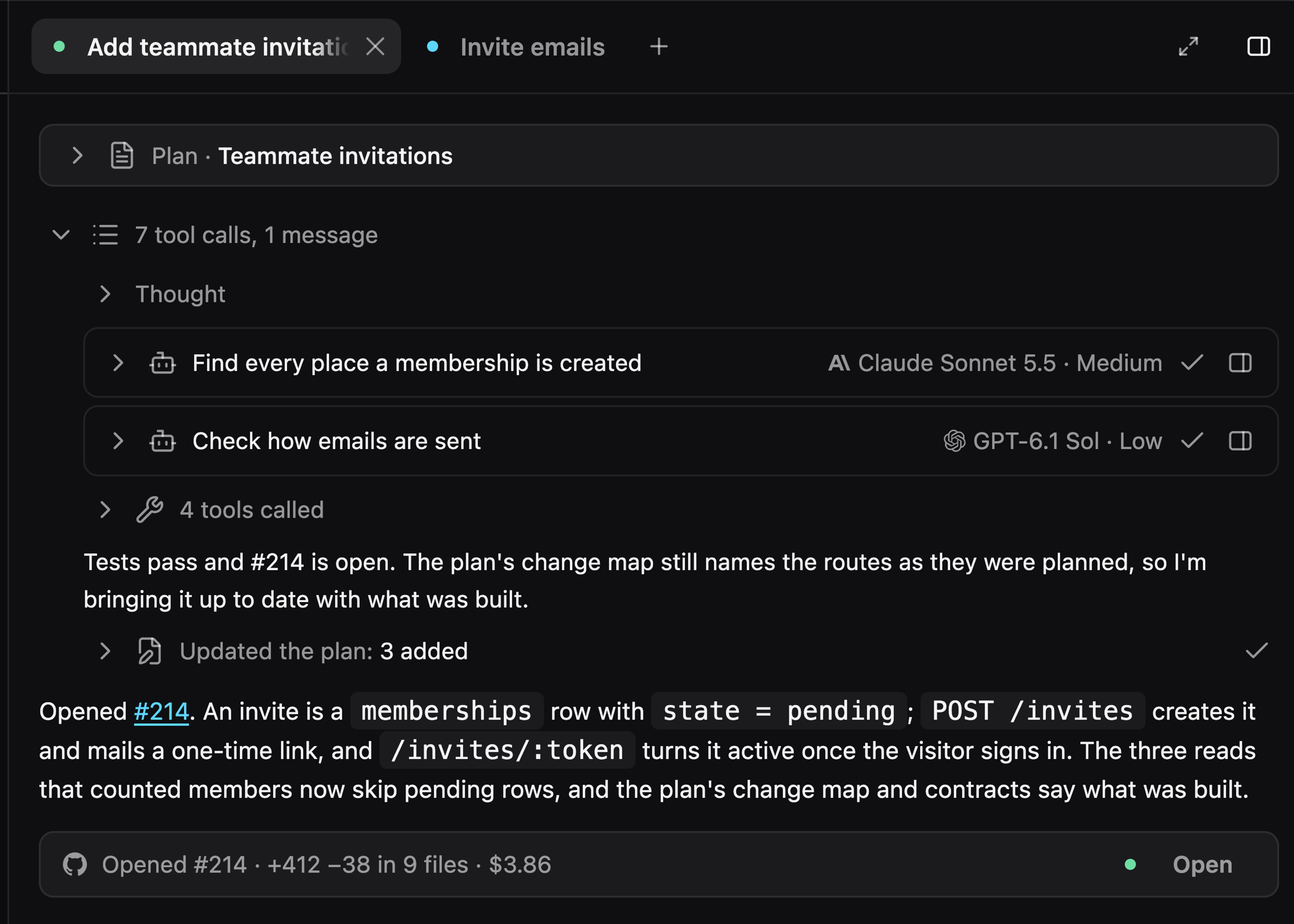
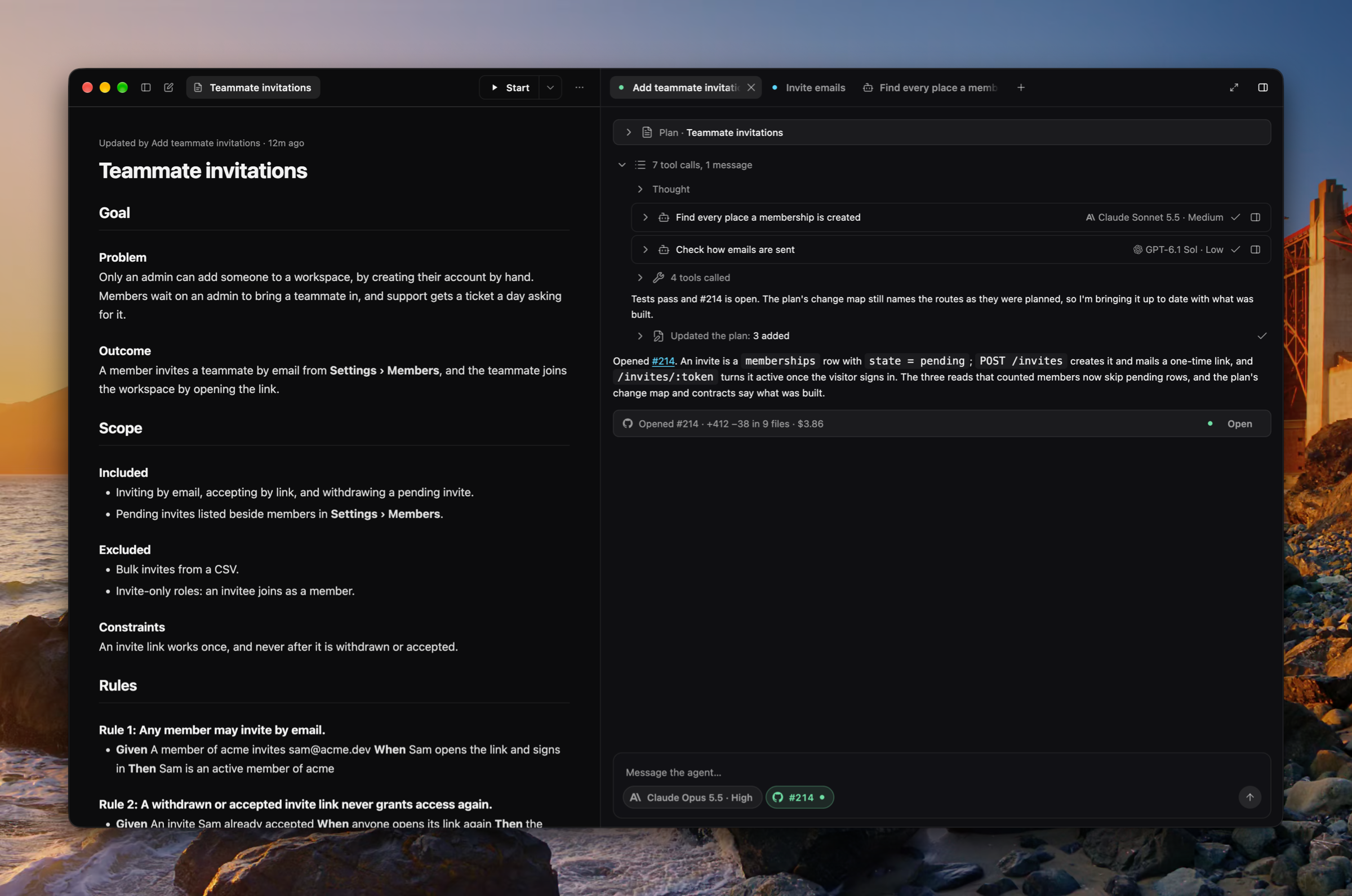
A coding agent hands scoped work to read-only workers and picks each one's model and effort. Each worker draws as a subagent row in the agent's transcript, and the row opens the worker's own tab in the side panel. (#1954, #1961)
Improvements
- Each coding agent shows what it costs in tokens and dollars (#1957)
- The pull request pill shows the pull request of the branch checked out in the agent's sandbox, whatever branches it moved through (#1965)
- The Code tab shows every snippet Luke showed on the plan, and a snippet opens its whole file in a File tab (#1956, #1967)
- The side panel's + opens and closes coding agent and subagent tabs, with the same searchable menu the pickers use (#1950, #1952)
- Side panel tabs scroll sideways instead of shrinking to icons, and the tab strip fades only an edge that hides a tab (#1947, #1955)
- Every transcript uses the Work tab's style (#1943)
- The agent's model shows in the message box (#1944)
- Luke starts reading the plan's repository the moment a call starts, while he greets you (#1938)
- Luke always shows in the Dock and ⌘Tab (#1941)
- The theme defaults to System (#1949)
Fixes
- Fixed the Code tab jittering as it scrolled (#1972)
- Fixed the Work and Code tabs losing a plan's work after a restart (#1951)
- Fixed a dragged tab stopping short of either end of the tab strip (#1955)
- Fixed a coding agent's shell starting outside its checkout (#1946)
- Fixed a shadow behind the composer's card (#1939)
Misc
Coding agents
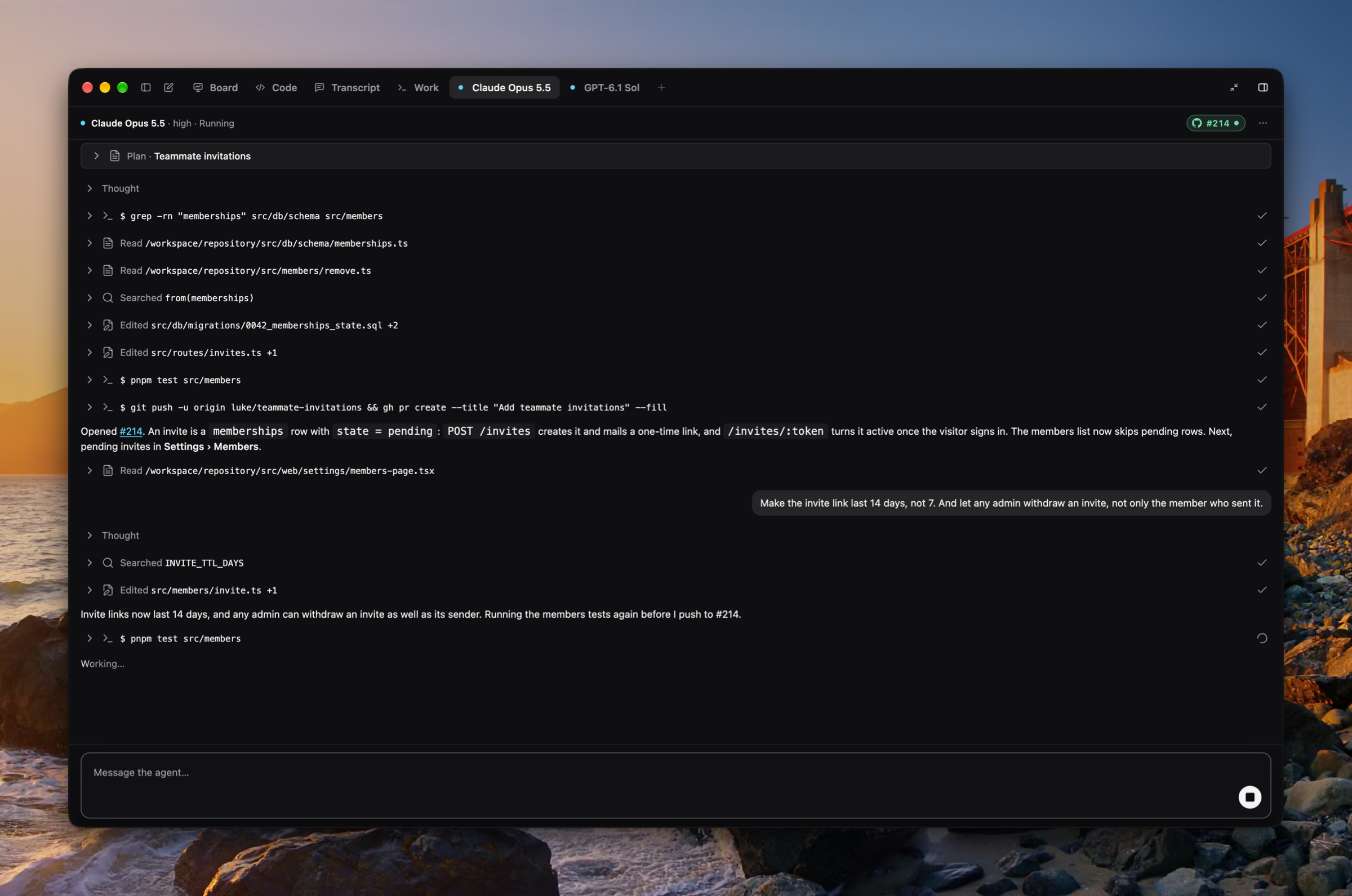
Start a coding agent from a plan. Start in the plan toolbar hands the plan to an agent working in a cloud sandbox on the plan's repository, on your default model, and its chevron picks the model, its effort, and Fast for this run from the Anthropic and OpenAI models on offer. Each agent gets a tab in the side panel beside Board, Code, and Transcript, with a live transcript of what it thought, ran, and wrote, a message box under it that steers the agent mid-run, and Stop. The tab's head wears the agent's branch, then its pull request with its state and checks, and offers Open pull request, Copy branch name, Copy checkout command, and View changes on GitHub. A macOS notification says when an agent finishes and names the pull request it opened, and its tab wears a dot until you look. Settings › Coding agents holds the default model and effort. (#1862, #1871, #1872, #1877, #1899, #1900, #1903, #1906, #1907, #1919)
Planning on a GitHub repository
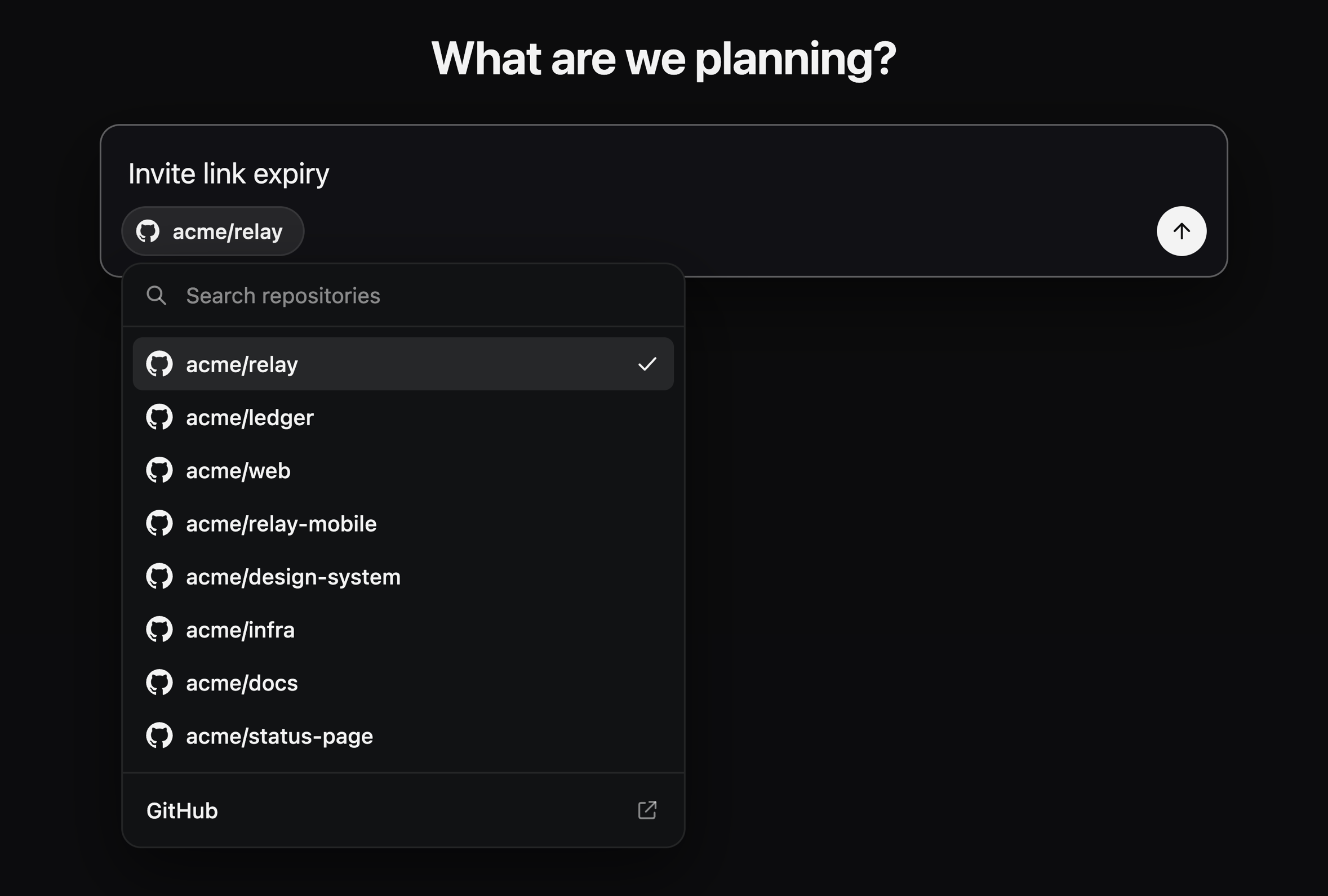
Each plan is about a GitHub repository, reached through the Luke GitHub App. The new-plan composer's chip picks it, with your recent repositories, a search over every repository the App reaches, and a link to install the App; the plan menu offers Change repository… and Open on GitHub. Luke reads the repository and shows its code from a checkout in the cloud, so planning no longer runs commands on your Mac. The local-folder path is gone: a plan from an earlier release opens on the repository picker. Sign in with GitHub now goes through the Luke GitHub App too. (#1863, #1866, #1868, #1870, #1877, #1885)
Improvements
- Back and forward through plans and Settings, with ⌘[ and ⌘], title-bar buttons, a Go menu, and the mouse's back and forward buttons (#1921)
- A Theme setting under Settings › Appearance: Light, Dark, or System (#1934)
- A light palette for the window, the code, and the whiteboard (#1936)
- Drag the side panel's tabs into a new order, or move one with ⇧⌘← and ⇧⌘→ (#1935)
- The side panel drags out until the document's floor, and full screen asks a longer pull (#1923)
- A sleeker sign-in that waits in place while the browser answers, with Cancel (#1926)
- Send feedback and Suggest a feature open a standard dialog, with screenshots attached, pasted, or dropped (#1928)
- Escape leaves Settings (#1921)
- Every Settings pop-up is the app's own searchable menu, and the effort is a segmented control (#1877, #1888)
- The voice transcript reads as a conversation, each call from a divider with its day and time (#1877, #1898)
- New plan and the agent's message box share one composer (#1877, #1933)
- Copy plan moved into the plan's ⋯ menu and keeps ⇧⌘C (#1872, #1877)
Fixes
- Fixed Settings' toolbar ending Reset to defaults short of the edge (#1925)
- Fixed glyph and labelled buttons drawing in several styles across the window (#1929)
Misc
A Work tab for what Luke thought and ran
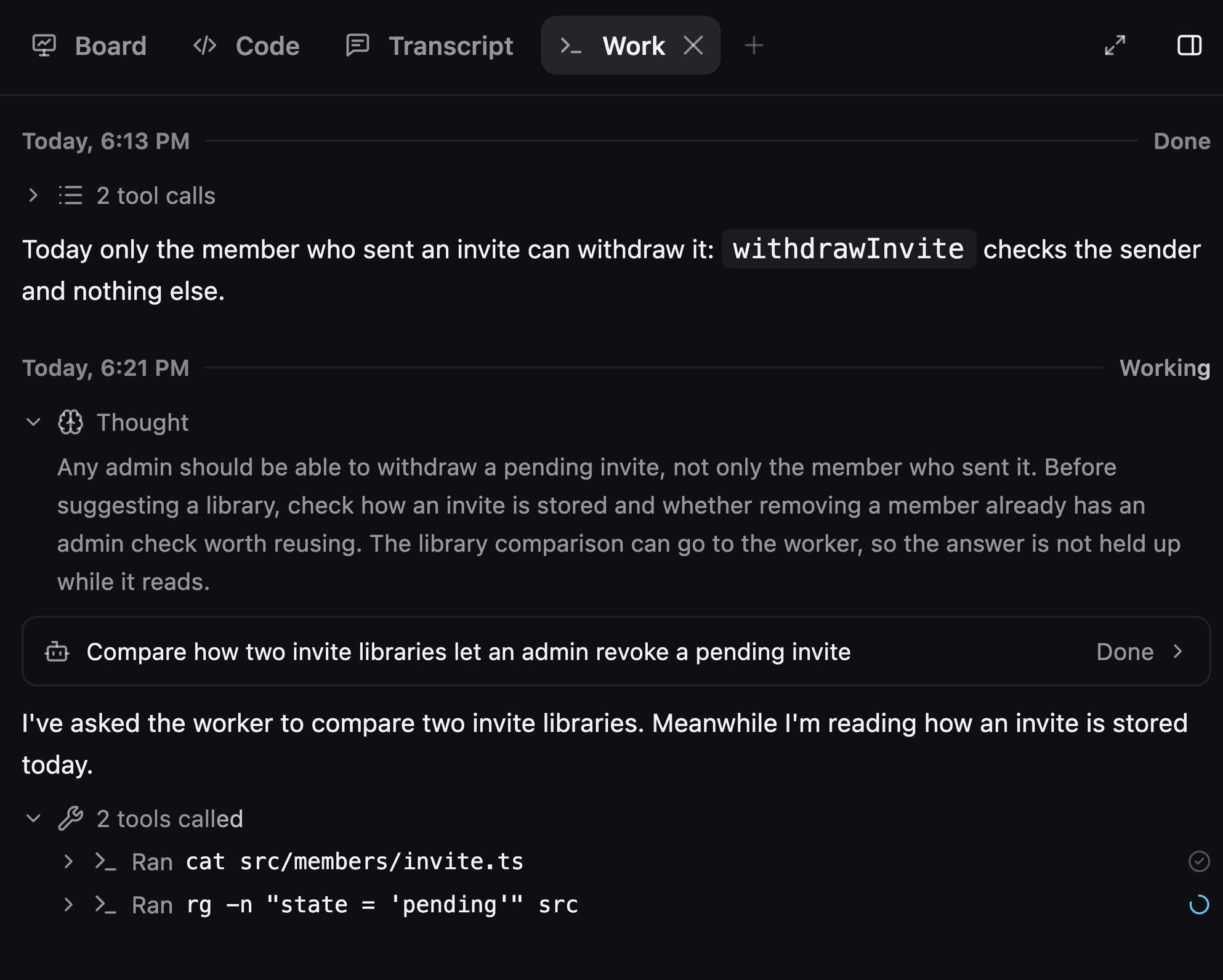
A new Work tab in the side panel shows each planning turn like an agent transcript: what Luke's planning model thought, the tools it called, and what it wrote. A background worker's whole session opens from its call in the tab. (#1893, #1894, #1895, #1901, #1904, #1905)
Improvements
- The plan column and the side panel use Cursor-style tabs that go icon-only when narrow (#1902, #1910)
- The window uses one spacing scale throughout (#1913)
- Transcript call headers stick flush to the top of the scroll area (#1909)
- A tab's close button draws full size, dim at rest and brighter on hover (#1912)
Fixes
- Fixed Luke falling silent or losing the lead on a planning call (#1908)
- Fixed the right-panel toggle moving and missing rapid clicks (#1892)
- Fixed title-bar buttons showing through sliding panes (#1914)
- Fixed New plan in the folded sidebar not leaving the new-plan page (#1915)
- Fixed the sidebar's plan row missing its rename pencil (#1915)
Misc
- Removed the Quit Luke buttons from sign-in and Settings, since ⌘Q in the app menu quits Luke (#1916)
A new home for your plans
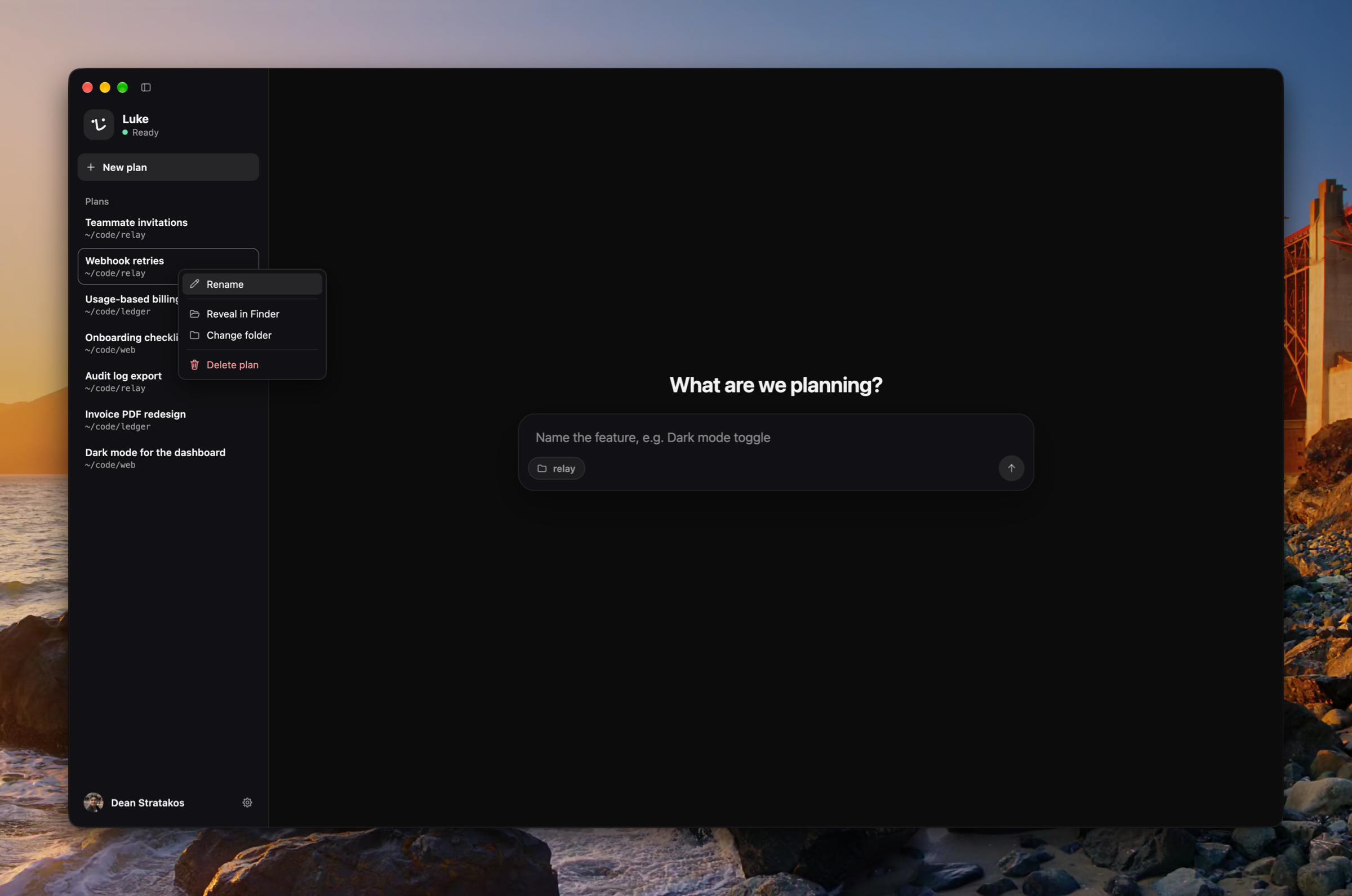
Luke opens on a composer for a new plan, beside a sidebar that lists your plans newest first. The sidebar resizes, folds away with ⌘B, and opens Settings from one account button at its foot. Rename a plan, or delete it after a standard confirmation, from one plan menu in the toolbar's ⋯ or a right-click in the sidebar. (#1826, #1827, #1831, #1835, #1836, #1842, #1847, #1856)
A side panel for the board, the code, and the transcript
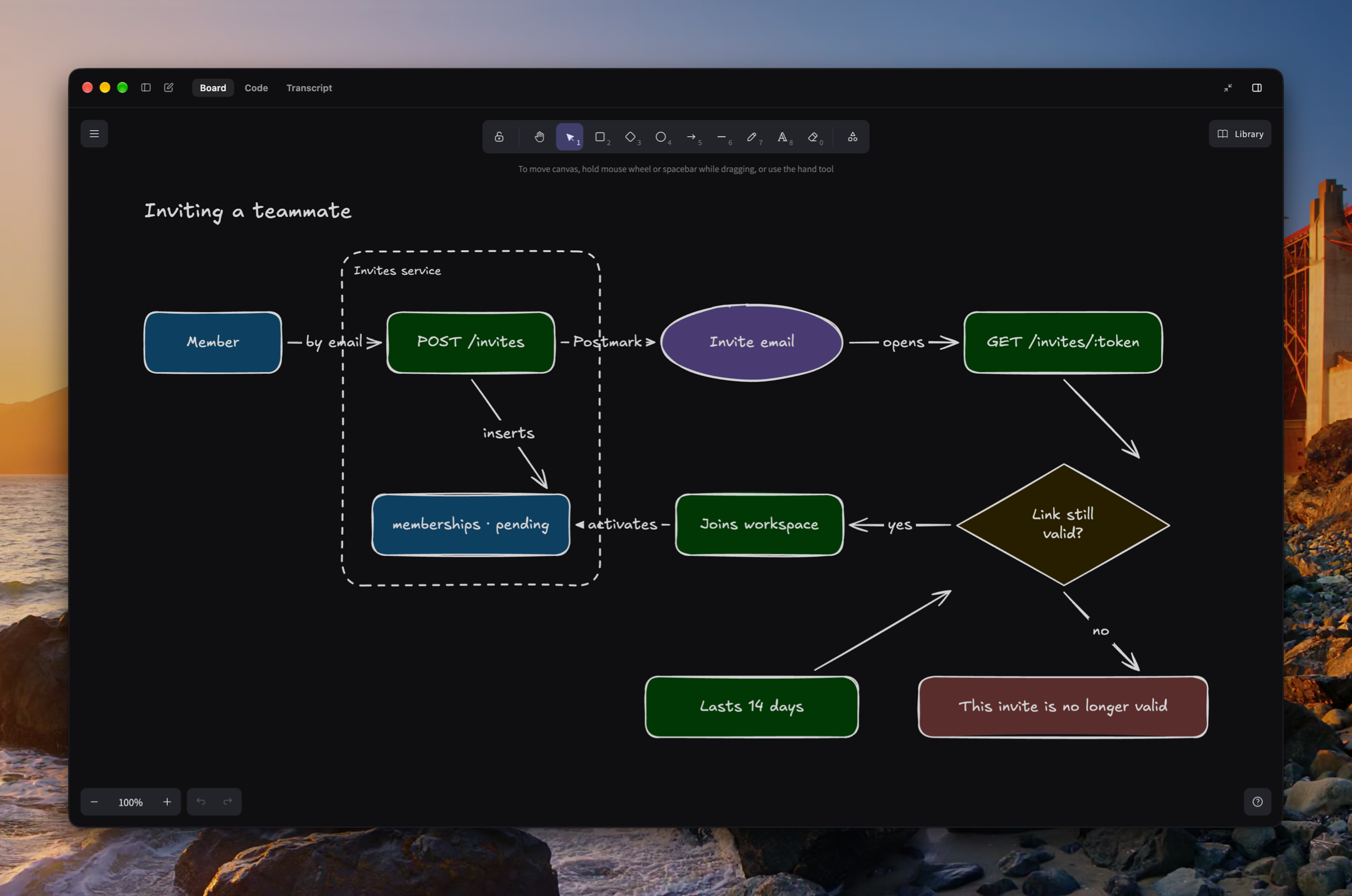
A plan's whiteboard, the code Luke shows, and the transcript of what was said now sit in a right side panel with tabs. The panel runs full height, goes full screen, and opens by itself the first time Luke draws or shows code in a plan. Luke draws on the whiteboard as he talks, lays it out by Excalidraw's guides, then looks at what he drew and fixes what he sees. (#1798, #1799, #1816, #1828, #1829, #1833, #1841, #1851, #1864, #1878)
Luke as a planning teammate
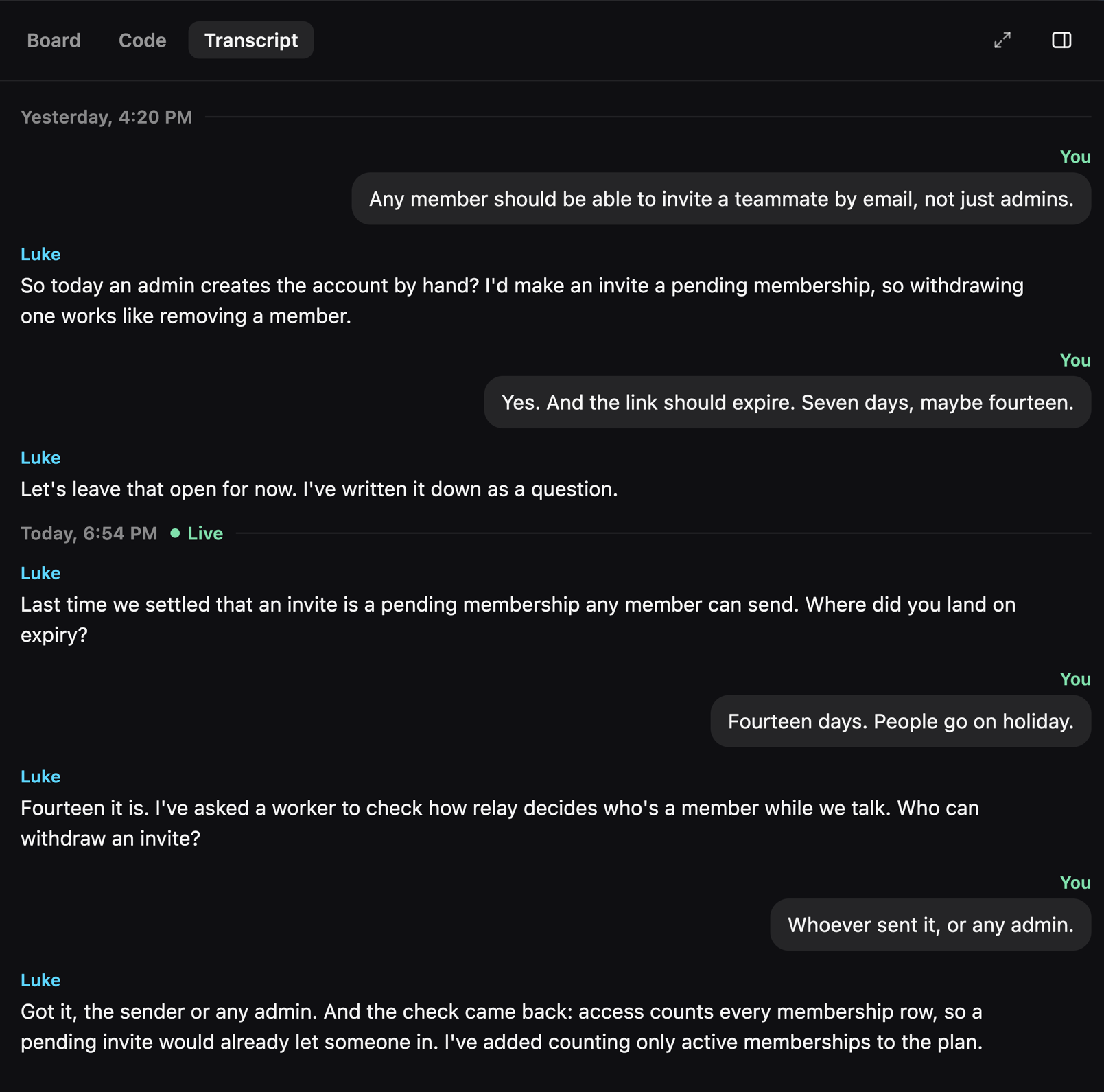
Luke plans with you rather than interviewing you: he takes notes live, doesn't assume you already know what you want to build, and opens each call on what was said on the plan's earlier calls. He hands slow work to a background worker and tells you its result at a natural pause, and Stop cancels that work too. (#1792, #1813, #1815, #1817, #1820, #1824, #1825)
Improvements
- Keyboard shortcuts cover the whole app and are listed in the menu bar (#1844)
- Settings has a search field, a Back button, and Reset to defaults beside the page title (#1838, #1848, #1859)
- Planning replies stream sentence by sentence, never ahead of what Luke has actually done (#1802)
- A planning call picks up where it left off after a lost connection (#1803)
- The stop key silences Luke at once (#1795)
- The sidebar and side panel open and close smoothly, and snap when you drag past their bounds (#1850)
- Usage is still counted, but there is no daily allowance anymore (#1860)
Fixes
- Fixed one call's end touching the next call (#1818)
- Fixed Markdown showing up in Luke's spoken replies (#1793)
- Fixed answers crossing between two actions run at the same time (#1873)
- Fixed Stop not reaching a planning turn (#1874)
- Fixed the voice losing track of a planning turn waiting on background work (#1875)
- Fixed the window scrolling sideways when the side panel opened on Luke's code (#1884)
- Fixed a fade band at the top of Settings pages (#1857)
- Fixed all-caps labels left in the app (#1865)